
Keeping track of employee hours seems straightforward until a business has to manage different shifts, departments, locations, missed punches, corrections, and payroll records. Paper timesheets may work for a very small team, but they can quickly become cumbersome. Traditional time clocks solve some of those problems, although they may require dedicated equipment and additional setup.
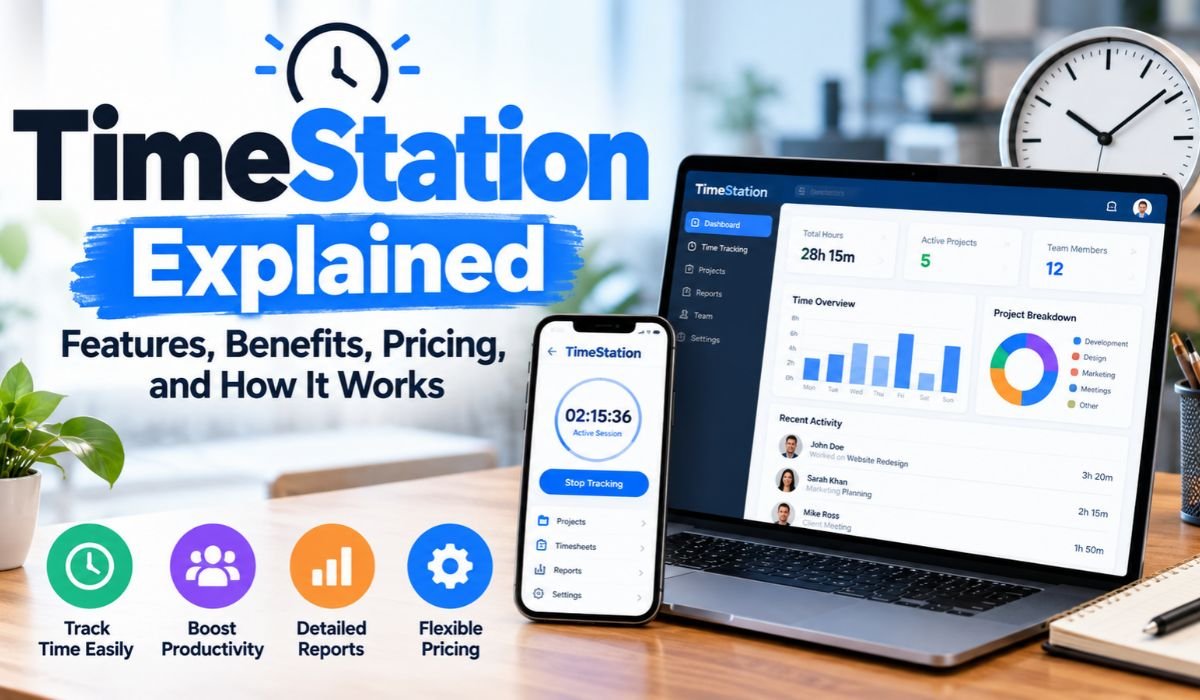
TimeStation offers a more flexible approach. It’s a cloud-based Time And Attendance system designed to turn compatible smartphones and tablets into attendance stations. Employees can Punch In And Out using employee cards or assigned PINs, while managers can review attendance records, manage employees, and generate reports through the online system.
The platform goes beyond basic clocking in and out. Fast-Scan Technology, Employee Self-Service, GPS Location Tagging, Offline Mode, reporting tools, and support for multiple TimeStations broaden its usefulness for different workplaces.
For small and medium-sized organizations in particular, the attraction is easy to understand: TimeStation offers a way to manage everyday attendance without building a complicated timekeeping setup around specialized hardware. This guide looks at how TimeStation works, what its main features offer, what users should know about pricing and privacy, and where the system may fit best in 2026.
Quick Information About TimeStation
| Information | Details |
|---|---|
| Product Name | TimeStation |
| Product Type | Time And Attendance System |
| Main Purpose | Attendance And Working-Time Tracking |
| Platform Model | Cloud-Based |
| Primary Audience | Businesses And Organizations |
| Mobile Platforms | Android And Apple iOS |
| Main Punch Methods | Employee Card And PIN |
| Scanning System | Fast-Scan Technology |
| Employee Access | Self-Service Functions |
| Manager Access | Online Management |
| Location Feature | GPS Location Tagging |
| Offline Attendance | Supported |
| Reporting | Attendance And Pay-Related Reports |
| Report Export | Supported |
| Multiple Locations | Supported |
| Multiple Departments | Supported |
| Employee Cards | Printable |
| Security Feature | SSL Encryption Stated By TimeStation |
| Developer Tools | REST API |
| Free Option | Free Account Advertised |
| Typical Fit | Small And Medium Organizations |
These details reflect TimeStation’s published product information. As with any cloud service, features, account limits, and pricing can change. Businesses considering the platform should therefore confirm current terms before making a final decision.
What Is TimeStation?
TimeStation is a cloud-based platform for recording and managing Time And Attendance information. Rather than requiring a conventional wall-mounted time clock, it allows organizations to use supported smartphones and tablets as attendance stations.
The idea is fairly simple. Employees record when they arrive and leave, and authorized managers can review that information through an online management system. For companies moving away from handwritten timesheets or older attendance equipment, this can provide a more accessible way to organize working-time records.
TimeStation isn’t limited to conventional employee attendance, either. The company describes several other possible uses. Schools can adapt the system for student attendance, clubs and groups can record member participation, and organizations can track time associated with different projects or clients.
That wider range of uses helps explain what TimeStation really is. It’s better viewed as a flexible attendance and time-recording platform than simply as a digital punch clock.
How TimeStation Works
Getting started with TimeStation follows a relatively straightforward workflow. An organization creates an account, adds its employees, and configures relevant departments. Employee cards can then be prepared and printed when card-based attendance is preferred, while PINs provide another way for employees to identify themselves.
A compatible smartphone or tablet serves as the TimeStation used for daily attendance. When an employee arrives for work or leaves, the worker records a punch through the configured method. That attendance information can then be made available through TimeStation’s cloud-based management environment.
Managers aren’t restricted to standing beside the device employees use. They can review employee activity and generate reports through the online management side of the service.
This separation is one of the practical strengths of a cloud-based system. The tablet or phone can remain where employees need it, while authorized managers work with the resulting attendance information elsewhere.
TimeStation says its combination of account signup and printable employee cards can allow organizations to get started quickly. Actual setup time, of course, will vary depending on workforce size, departments, permissions, and the way a company intends to use the system.
Fast-Scan And PIN Punching
Fast-Scan Technology is one of TimeStation’s central attendance features. According to the company, an employee can Punch In Or Out using a card in less than a second.
That speed can matter in a busy workplace. When a large group begins or ends a shift at roughly the same time, even a small delay for each employee can lead to a queue around a shared attendance device. A fast scanning process helps keep the routine simple.
Employees aren’t entirely dependent on their cards, however. TimeStation also supports PIN-based punching, which provides an alternative when a card isn’t available.
Having more than one punching method gives employers useful flexibility, but technology doesn’t eliminate the need for sensible workplace procedures. Businesses still need clear rules for forgotten PINs, lost cards, missed punches, incorrect entries, and attendance corrections.
Those administrative details may seem minor, yet they have a direct effect on the reliability of time records. The most effective attendance system is one supported by clear and consistently applied policies.
Cloud-Based Attendance Management
TimeStation’s cloud-based structure is an important part of how the platform works. Attendance information isn’t useful only on the smartphone or tablet employees use to record a punch. Managers can access Time And Attendance data through the online system wherever appropriate internet access is available.
For an owner who moves between workplaces or a manager responsible for several departments, that flexibility can be particularly useful. It also reduces the need for an organization to maintain its own local attendance server simply to make time records available to management.
Cloud access does introduce responsibilities of its own. Administrator accounts need to be protected, permissions should reflect each person’s role, and access should be removed when someone no longer needs it.
This is especially important when attendance records contain information connected to employees, working hours, pay calculations, or punch locations.
TimeStation also combines its cloud model with Offline Mode. As a result, the system isn’t entirely dependent on having a continuous internet connection at the attendance device.
Employee Self-Service
Employee Self-Service gives TimeStation a broader role than a manager-only attendance tool. Depending on the permissions granted by management, employees can access certain functions related to their own working-time records.
TimeStation says employees may be able to review their activity, Punch In And Out, run reports, and create or edit time entries. Crucially, managers determine which of these functions each employee can access.
That level of control matters. An organization may want employees to see their own attendance history without allowing unrestricted editing, for example. Another business may decide that certain workers need additional functionality because of their roles.
Self-service can also reduce routine administrative work. Employees who can review appropriate information themselves may not need to contact a manager every time they have a basic question about an attendance record.
Editing deserves additional care. When employees are permitted to change time entries, businesses should have an appropriate review or approval process. Accurate records are important for both management and employees, particularly when working hours affect payroll.
Reporting And Payroll Workflows
Collecting attendance punches is only the beginning. Businesses eventually need to turn those records into information they can review and, in many cases, use during payroll preparation.
TimeStation provides online reports for tracking attendance and calculating pay-related information. Its support materials also cover topics including payroll reports, individual employee timesheets, overtime calculations, and time rounding.
Reports can be exported into different formats. That can make it easier to move attendance information into an organization’s broader payroll workflow rather than manually rebuilding the same records elsewhere.
There is an important distinction here. The ability to export information shouldn’t automatically be interpreted as a direct integration with every payroll provider. A company considering TimeStation should confirm whether the available export formats and processes fit the payroll software it actually uses.
For organizations with technical resources, TimeStation also offers a REST API. The developer documentation covers programmatic access involving areas such as employees, departments, shifts, and reports. This can provide additional flexibility for companies that need to build their own workflows around TimeStation data.
GPS Location Tagging And Privacy
For organizations with employees working outside a traditional office, knowing where a punch occurred may provide useful context. TimeStation addresses this through GPS Location Tagging.
The feature is designed to map the geographical location associated with an employee’s Punch In And Out activity. That may be relevant to companies operating across job sites, remote workplaces, or other distributed environments.
It’s important, however, to describe this capability accurately. GPS Location Tagging connected to attendance punches shouldn’t automatically be presented as continuous employee tracking. TimeStation’s published description focuses on the geographical location associated with punches.
Privacy also deserves serious consideration. Location information can be sensitive in a workplace setting, even when it’s collected for a legitimate attendance purpose.
Employers should clearly explain what information is collected, when it’s collected, why it’s needed, who can view it, and how it will be used. They should also make sure their practices comply with relevant employment, privacy, and workplace-monitoring requirements in the jurisdictions where they operate.
Used responsibly, location information can add useful context to attendance records. Used without clear policies, it can create unnecessary questions about employee privacy and trust.
How Offline Mode Works
Cloud software is convenient when internet access is reliable, but not every workplace enjoys a stable connection. Construction sites, temporary facilities, remote workplaces, and outdoor locations can all experience connectivity problems.
TimeStation’s Offline Mode is designed to address that situation.
When an internet connection isn’t available, the attendance device can continue recording Time And Attendance activity. Once connectivity returns, the device can synchronize the stored information with the online system.
For businesses operating in areas with inconsistent connectivity, this is more than a convenience. It can help prevent a temporary internet outage from forcing employees and managers to switch immediately to handwritten records.
Managers should still verify that synchronization has completed correctly after connectivity returns. Attendance information can affect timesheets, payroll, and internal records, so missing or delayed data shouldn’t simply be assumed to have synchronized successfully.
Offline capability works best as part of a reliable attendance process rather than as a reason to stop checking records.
Multiple Locations And Departments
Many organizations don’t operate from a single office or place every employee in one department. TimeStation is designed to accommodate more complicated workplace structures by allowing multiple TimeStations to be linked to the same company.
That means an organization can place attendance stations in different locations or departments while managing them within the broader company setup.
Department functionality adds another useful dimension. TimeStation’s support information describes employees belonging to multiple departments and having different hourly rates associated with those departments.
When an employee belongs to more than one department, the system can prompt the worker to select the appropriate department when clocking in.
This can be valuable when an employee divides time between different roles, teams, projects, or operational areas. Instead of treating every hour as identical, the organization can maintain more meaningful records of where working time was spent.
For businesses with more complex structures, these details may matter just as much as the basic Punch In And Out process.
Who Is TimeStation Best For?
TimeStation is likely to attract the most attention from small and medium-sized organizations that want practical attendance management without investing heavily in specialized time-clock infrastructure.
A small company might use it simply to record when employees start and finish work. A business with several departments could use its departmental features to organize working-time records more precisely. Companies operating at multiple sites can link several TimeStations rather than treating each workplace as an entirely separate attendance system.
The platform’s possible uses extend beyond commercial workplaces. Schools may adapt it for student attendance, while clubs and groups can use the same underlying idea to record member participation. Project-oriented organizations can also use TimeStation to help distinguish time associated with different clients or work categories.
Still, TimeStation shouldn’t automatically be treated as a replacement for every type of workforce software.
Organizations looking for extensive Human Resources functions such as recruiting, benefits administration, advanced workforce planning, or highly specialized compliance management should compare those needs carefully. TimeStation’s strongest focus is Time And Attendance, so some businesses may need it to work alongside other systems.
TimeStation Pricing And Free Account
Pricing is often one of the first questions potential users ask, but it’s also an area where software articles can become outdated quickly.
TimeStation currently advertises a Free Account through its signup process. Historical official support information has also described a Free Ten-Employee Plan for accounts that meet particular employee and administrator limits.
The age of that documentation matters. Older support material shouldn’t be treated as definitive proof of every pricing condition or account restriction that applies in 2026.
For that reason, businesses evaluating TimeStation should verify current information directly through the latest signup and billing environment. That includes subscription prices, employee limits, administrator limits, billing conditions, and the features included with each available option.
This may sound cautious, but it’s the most useful approach for readers. Software pricing changes frequently, and repeating an old price without confirming it can be more misleading than providing no fixed price at all.
The existence of a currently advertised Free Account is relevant, but businesses with larger teams or more demanding requirements should confirm exactly what they’ll receive before basing a purchasing decision on it.
Benefits And Practical Limitations
TimeStation’s main appeal is its relative simplicity. Rather than requiring every organization to install dedicated attendance hardware, it allows compatible smartphones and tablets to become part of the timekeeping setup.
Employees can use cards or PINs, managers can access information online, and Offline Mode provides a fallback when connectivity becomes unreliable. Employee Self-Service can reduce some routine administrative requests, while reports help transform individual punches into more useful attendance and pay-related information.
GPS Location Tagging adds another layer for businesses with mobile or distributed employees. Support for multiple TimeStations and departments makes the system more practical for organizations that operate beyond a single small workplace.
There are limitations and responsibilities to consider as well.
A business still needs suitable devices and a clear process for managing attendance. Employees need to understand how and when they should punch. Managers need procedures for correcting errors and controlling permissions. Organizations using GPS information must think carefully about privacy, while companies relying on exported reports should confirm compatibility with their payroll workflow.
These aren’t necessarily weaknesses unique to TimeStation. They’re practical realities of introducing any digital attendance system.
The best results generally come when the software matches the organization’s workflow rather than forcing employees and managers to adapt to a process that doesn’t suit how they actually work.
Security And Trust Considerations
Employee attendance records deserve appropriate protection. Depending on how an organization uses the system, those records may relate to working hours, pay calculations, employee identities, departments, and punch locations.
TimeStation states that it uses industry-standard SSL Encryption for its web service and Mobile App. Its developer documentation also requires HTTPS for API requests and uses API credentials for authentication.
Those protections are meaningful, but they shouldn’t be interpreted as a promise that any cloud service is completely risk-free.
Security also depends on how an organization manages its account. Strong credentials, sensible administrator permissions, careful handling of API keys, periodic access reviews, and prompt removal of accounts that are no longer needed can all reduce unnecessary exposure.
Businesses should also review the current TimeStation Privacy Policy and Terms Of Service before introducing the platform into their workplace. That becomes especially important when employee information or GPS-related data is involved.
Trust isn’t created by encryption alone. Clear employee policies, responsible access management, accurate records, and transparency about how information is used all contribute to a more trustworthy attendance process.
Is TimeStation Worth Using In 2026?
For organizations whose needs match its core features, TimeStation presents a practical approach to everyday Time And Attendance management.
Its appeal begins with familiar hardware. Instead of relying entirely on a traditional time clock, a compatible smartphone or tablet can become an attendance station. Fast-Scan cards and PIN punching provide different ways for employees to record time, while managers can work with attendance information through the cloud.
Offline Mode helps in workplaces where connectivity isn’t guaranteed. GPS Location Tagging can provide context for punches made away from a central office, and multiple TimeStations can support companies operating across departments or locations. Reporting and API access extend the platform beyond simple clocking.
None of that means every business should choose it automatically.
A company should first consider how many employees it has, where those employees work, how payroll is handled, what reports managers need, whether GPS information is appropriate, and what current pricing applies. Businesses with extensive HR requirements should also determine whether TimeStation alone covers enough of their workflow.
For a small or medium-sized organization primarily interested in straightforward Time And Attendance management, though, TimeStation remains a service worth evaluating.
Final Thoughts
TimeStation is built around a simple idea: a smartphone or tablet can do more than provide mobile access to business software—it can become the attendance station itself.
That approach removes some of the complexity traditionally associated with workplace time clocks. Fast-Scan Technology and PIN punching handle everyday attendance, while cloud-based management gives authorized managers access to the resulting information. Employee Self-Service, reporting, GPS Location Tagging, Offline Mode, departmental features, and multiple TimeStations add flexibility for organizations with broader requirements.
The most useful way to evaluate TimeStation in 2026 isn’t to count how many features it offers. It’s to ask whether those features solve the problems a particular organization actually has.
A business should examine its number of employees, workplace structure, attendance policies, payroll workflow, reporting requirements, internet reliability, privacy responsibilities, security practices, and current TimeStation pricing before committing to the platform.
When those needs align with what TimeStation provides, the service can offer a relatively straightforward way to move away from paper attendance records or more traditional timekeeping arrangements without making everyday attendance management unnecessarily complicated.
FAQs About TimeStation
What Is TimeStation?
TimeStation is a cloud-based Time And Attendance system that allows organizations to use compatible smartphones and tablets as attendance stations. Employees can record their working-time activity through supported punching methods, while managers can review attendance information and generate reports through the online system.
How Do Employees Punch In On TimeStation?
Employees can Punch In And Out using employee cards or assigned PINs. TimeStation says its Fast-Scan Technology can process card-based punches in less than a second. PIN punching provides an alternative when an employee’s card isn’t available.
Can TimeStation Work Without Internet?
Yes. TimeStation includes an Offline Mode designed for situations where the attendance device doesn’t have an active internet connection. Attendance activity can continue to be recorded offline and then synchronized with the online system after connectivity becomes available again. Managers should still confirm that synchronization has completed successfully.
Does TimeStation Track Employee Location?
TimeStation provides GPS Location Tagging associated with employee Punch In And Out activity. Its published description focuses on mapping the location where attendance punches occur rather than continuous employee movement tracking. Employers using this feature should clearly communicate their policies and follow applicable privacy and workplace-monitoring requirements.
Can TimeStation Be Used At Multiple Locations?
Yes. Multiple TimeStations can be linked to the same company, allowing an organization to record attendance across different workplaces or departments. Department functionality can also help businesses manage employees who work across more than one operational area.
Is TimeStation Free?
TimeStation currently advertises a Free Account. Historical official documentation has also described a Free Ten-Employee Plan with particular account conditions. Because older documentation may not reflect every current 2026 pricing rule, prospective users should confirm current employee limits, administrator limits, subscription costs, and billing terms before signing up.
Can TimeStation Help With Payroll?
TimeStation provides attendance and pay-related reports, and report information can be exported for use in broader payroll workflows. Its support materials also address employee timesheets, overtime calculations, payroll reports, and time rounding. Businesses should verify that the available export options work with their specific payroll process rather than assuming direct compatibility with every payroll provider.
Does TimeStation Have An API?
Yes. TimeStation provides a REST API for organizations that need programmatic access to supported areas of the platform, including information involving employees, departments, shifts, and reports. Businesses planning a custom integration should review the latest developer documentation before building their workflow.
Learn more and explore exciting content on: InfoDog Explained: Dog Show Results, Events, Entries, and More
[…] Learn more and explore exciting content on: TimeStation Explained: Features, Benefits, Pricing, and How It Works […]