
Great Audio isn’t simply about turning up the Volume. What matters far more is balance. Bass needs enough weight without overpowering everything else, Voices should remain clear, and High Frequencies should add detail without becoming sharp or tiring.
When that balance isn’t quite right, even good Headphones or Speakers can sound disappointing. Music may feel muddy, Movie Dialogue can get lost behind effects, and a Gaming soundtrack may have so much Low-End energy that smaller details become difficult to notice.
That’s where a Quad Equalizer can help.
In its common four-band form, a Quad Equalizer lets you adjust four broad areas of the Frequency Spectrum. It offers considerably more control than basic Bass and Treble settings, yet it remains easier to understand than a detailed professional Parametric Equalizer.
The key, however, is knowing what to adjust and why. Equalization isn’t automatically an improvement, and pushing every control upward rarely produces better Audio. The most useful approach is to identify a Tonal problem first and then make a small, deliberate correction.
This guide takes a practical look at how a Quad Equalizer works, what its Frequency bands actually change, and how it can affect Music, Podcasts, Gaming, Movies, Headphones, and Speakers. Just as importantly, it explains the limits of Equalization so you know when EQ can help and when the real problem lies elsewhere.
What Is A Quad Equalizer?
A Quad Equalizer is generally an Audio Equalization system that provides four adjustable Frequency bands. Those bands allow selected portions of the Audio Spectrum to be increased or reduced independently, giving the listener greater control over the overall Tonal Balance.
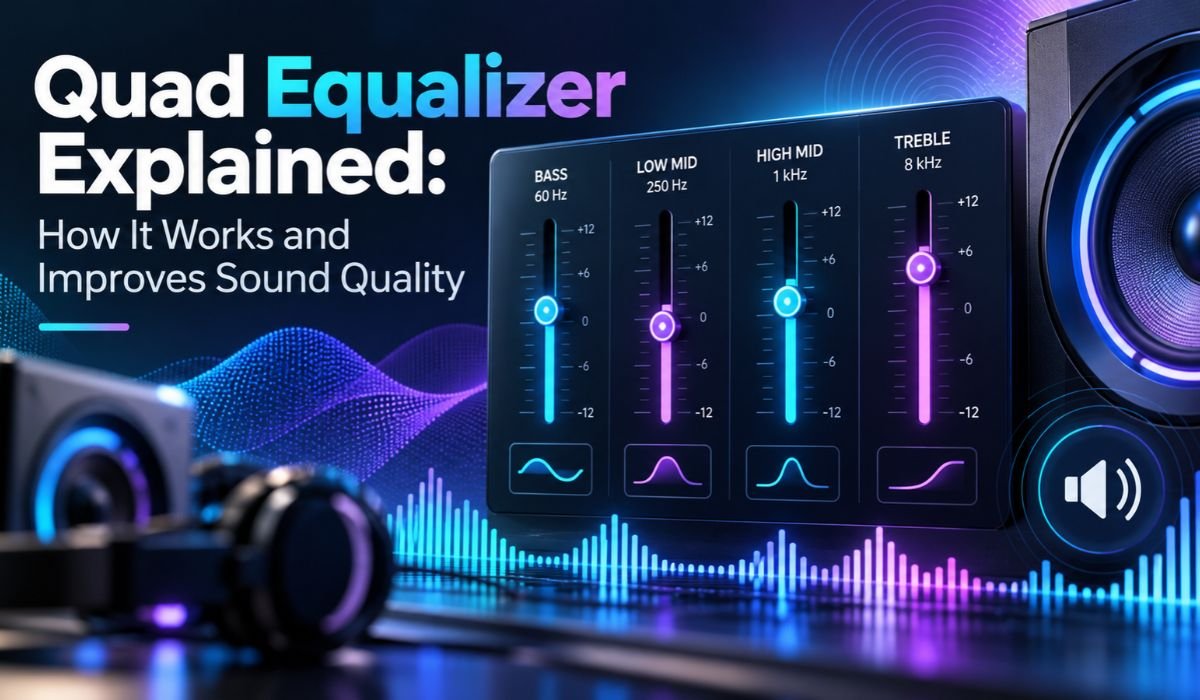
A typical four-band arrangement might include controls broadly associated with Bass, Low-Midrange, Midrange or Upper-Midrange, and Treble. That doesn’t mean every Quad Equalizer follows exactly the same design.
Manufacturers can choose different center Frequencies, Gain ranges, bandwidths, and filter characteristics. Some systems use fixed bands, while others give the user more control over which Frequencies are affected.
There’s another detail worth understanding. The term “Quad” doesn’t always mean four Frequency bands in Audio equipment. Depending on the product, it may instead refer to four channels or several separate EQ sections. Anyone considering a particular device should therefore look at its actual specifications rather than relying on the name alone.
When Quad Equalizer is used to describe a four-band EQ, its appeal is easy to understand. It offers more Tonal flexibility than basic Bass and Treble controls without requiring the user to manage a large collection of Frequency sliders and technical settings.
Quick Bio Information
| Quick Information | Details |
|---|---|
| Main Term | Quad Equalizer |
| Main Function | Audio Equalization |
| Common Design | Four Adjustable Frequency Bands |
| Primary Purpose | Tonal Balance And Sound Shaping |
| Main Adjustments | Boost And Cut |
| Frequency Unit | Hertz And Kilohertz |
| Gain Unit | Decibels |
| Low Frequency Effect | Bass, Weight, And Impact |
| Low-Mid Effect | Warmth, Body, And Fullness |
| Midrange Effect | Vocal And Instrument Presence |
| High Frequency Effect | Brightness And Detail |
| Common Applications | Music, Movies, Gaming, And Speech |
| Main Formats | Hardware And Software |
| Typical Skill Level | Beginner Friendly |
| Band Configuration | Fixed Or Adjustable |
| Recommended Starting Point | Flat Or Neutral |
| Preferred Adjustment Method | Small, Purposeful Changes |
| Main Concern | Excessive Boosting And Reduced Headroom |
How A Quad Equalizer Works
To understand what a Quad Equalizer does, it helps to start with Frequency.
Frequency describes how quickly a Sound wave repeats and is measured in Hertz. Lower Frequencies are associated with deep sounds such as Bass instruments, kick drums, and the rumble of cinematic effects. As Frequencies move higher, they contribute to qualities such as Vocal presence, attack, brightness, and fine detail.
An Equalizer changes the relative level of selected Frequency areas through Audio filters. Boosting a band makes the Frequencies affected by that filter more prominent. Cutting a band reduces their level.
That makes an Equalizer fundamentally different from a standard Volume control.
Turning down the master Volume reduces the level of the entire Audio signal. EQ, by contrast, lets you change the relationship between different Frequency regions.
Imagine that a track sounds clear overall but has an overpowering Low-End. Lowering the Volume would make the entire recording quieter without addressing that imbalance. Reducing the appropriate Low-Frequency EQ band can instead tame some of the boom while leaving the rest of the Sound comparatively intact.
The result won’t be identical on every system. Filter design, Frequency selection, bandwidth, Gain, playback equipment, and the original recording all influence what an adjustment actually sounds like.
Understanding The Four Frequency Bands
It’s tempting to think that every four-band Equalizer divides Sound into four identical Frequency ranges. In practice, things aren’t that standardized.
Still, understanding the broad areas of the Audio Spectrum makes a Quad Equalizer much easier to use.
The lowest band generally deals with Bass. These Frequencies create much of the weight behind Bass instruments, kick drums, electronic Low-End, and large cinematic effects. A little extra Bass can add power, but too much may create boominess and hide details elsewhere in the recording.
Moving upward, the Low-Midrange contributes warmth, body, and fullness. This is an important part of many Voices and Instruments, yet excessive energy in this region can make Audio feel thick, boxy, or muddy.
The broader Midrange is especially significant. Voices, Guitars, keyboards, and many other Instruments contain important information here, which means even modest adjustments can noticeably alter Vocal presence and Instrument definition.
At the upper end, High Frequencies influence brightness, crispness, attack, and perceived detail. Too little can make a recording seem dull or closed in. Too much can make cymbals, speech, and other sounds feel sharp or fatiguing.
These areas aren’t separated by rigid walls. They overlap, and the exact ranges controlled by a Quad Equalizer depend on its design.
How A Quad Equalizer Can Improve Sound Quality
A Quad Equalizer is most useful when a Sound problem is Tonal.
Suppose a pair of Headphones produces noticeably more Bass than you prefer. Instead of accepting that presentation, you can reduce the appropriate Low-Frequency band. Doing so may make the Bass less dominant and allow Midrange details to come through more naturally.
The opposite problem can occur with a bright playback system. If High Frequencies consistently sound aggressive, carefully reducing the relevant band may create a smoother and more comfortable listening experience.
Equalization can also help when switching between different kinds of content. A Music profile with powerful Bass may be enjoyable for certain tracks but less useful when listening to a Podcast. Likewise, a Movie soundtrack may need a different balance if effects repeatedly overpower Dialogue.
It’s important, however, to describe this as an improvement in perceived Sound Quality rather than a magical increase in the technical quality of the original Audio.
An Equalizer cannot recreate information that was never captured. It won’t repair a damaged Speaker, reverse severe distortion, or completely correct a difficult acoustic environment.
Its real job is Tonal Correction and Sound Shaping. When used with that expectation, it can be remarkably useful.
Why A Quad Equalizer Is Useful
A Quad Equalizer occupies a comfortable middle ground in the world of Audio control.
Basic systems often provide only Bass and Treble adjustments. Those controls are convenient, but they can feel restrictive when the problem sits somewhere in the Midrange.
Professional Equalizers sit at the other end of the spectrum. A detailed Parametric Equalizer may provide control over Frequency, Gain, Q or bandwidth, filter type, and multiple independent bands. That’s enormously useful in professional Audio work, but it may be more complexity than an everyday listener needs.
A four-band Equalizer offers enough flexibility to address many common Tonal issues without turning routine listening into an engineering exercise.
It can reduce excessive Bass, control muddiness, alter Vocal presence, soften brightness, or simply shape Audio according to personal preference.
There’s also an educational benefit. Because there are only a few controls, beginners can change one band at a time and hear what happens. Over time, this makes concepts such as Bass, Midrange, and Treble much easier to recognize by ear.
How To Adjust A Quad Equalizer Correctly
Good Equalization usually begins by doing nothing.
Start with the EQ Flat or Neutral and listen to familiar Audio. Instead of immediately moving the controls, ask yourself what actually needs improvement.
Is the Bass covering the Voice? Does Dialogue sound distant? Is the Music too bright? Does the entire presentation feel thick or muddy?
Once you’ve identified the problem, adjust the most relevant band slightly. Then listen again.
Working this way is more effective than moving several controls at once. If every band changes simultaneously, it becomes difficult to know which adjustment helped and which one introduced a new problem.
Small changes also make comparisons easier. Extreme settings can initially sound impressive simply because they’re dramatically different.
Volume deserves attention as well. Louder Audio often seems more exciting at first, so compare the Equalized and original versions at roughly similar perceived listening levels whenever possible.
Digital systems introduce another consideration: Headroom. Large boosts can push signal peaks closer to the system’s maximum level. If the Equalizer provides a Preamp or output Gain control, reducing it when applying substantial boosts can help avoid digital clipping.
Above all, trust your ears rather than the shape of the EQ curve. A visually dramatic setting isn’t necessarily a good one.
Quad Equalizer Settings For Music
People often search for the best Quad Equalizer settings for Music, but there isn’t one preset that works equally well for every song.
Genre certainly matters, yet it’s only part of the picture. Recording style, Mastering, Headphones, Speakers, room conditions, and personal preference can all change what sounds balanced.
Hip-Hop and Electronic Music often contain significant Low-Frequency information. Some listeners enjoy adding even more Bass, but aggressive boosting can cause kick drums and bass lines to blur together and may hide details higher in the mix.
Rock, Pop, and Acoustic Music often depend heavily on the Midrange. Vocals, Guitars, keyboards, and many other Instruments occupy important parts of this area, so careless Midrange adjustments can quickly change the character of a track.
Classical and orchestral recordings can benefit from an especially restrained approach. Large EQ changes may upset the natural Tonal relationship between different instruments.
Instead of choosing an EQ solely because it’s labeled for a particular genre, begin with the original recording. If it already sounds balanced through your equipment, there may be nothing that needs fixing.
Sometimes the best EQ setting really is Flat.
Quad Equalizer For Vocals And Podcasts
When the focus shifts from Music to speech, clarity becomes the priority.
Podcasts, Audiobooks, Interviews, online classes, Video calls, and Movie Dialogue all depend on the listener being able to understand Voices comfortably.
If a Voice sounds overly boomy, too much Low or Low-Mid energy may be contributing to the problem. Reducing the appropriate region can sometimes make speech feel cleaner and less congested.
Muffled speech may benefit from careful adjustments further up the Frequency Spectrum. That doesn’t mean simply pushing the Midrange and Treble upward. Excessive boosting can make Voices sound thin, nasal, harsh, or overly sibilant.
The original recording also matters. Microphone choice, distance from the Microphone, room reflections, processing, and the speaker’s Voice all influence what reaches the listener.
That’s why a setting that works beautifully for one Podcast may sound unpleasant on another.
For spoken content, the best Equalization tends to be subtle. The Voice should become easier to understand without sounding obviously processed.
Quad Equalizer For Gaming And Movies
Gaming and Movies present a different challenge because their Audio mixes can be extremely busy.
Dialogue may sit alongside Music, explosions, vehicles, footsteps, environmental ambience, and dozens of smaller effects. All of these elements compete for space across the Frequency Spectrum.
Strong Bass can make cinematic moments exciting. At the same time, too much Low-End energy may mask Dialogue or quieter environmental details.
Competitive gamers sometimes adjust EQ in an effort to make Footsteps and other positional cues easier to hear. That can be useful in some circumstances, but there is no universal Footstep EQ that works across every Game.
Different titles use different Sound effects, Audio engines, mixing choices, and Frequency balances. Headsets vary too.
Simply maximizing Treble isn’t a reliable shortcut. Too much High-Frequency energy can become tiring during long sessions and may make the overall Sound unpleasant without providing a meaningful advantage.
For both Gaming and Movies, aim for balance. Effects should retain impact, but Dialogue and useful details shouldn’t disappear underneath them.
Quad Equalizer For Headphones And Speakers
One EQ profile shouldn’t automatically be expected to work with every playback device.
Headphones have different Frequency Responses. Some models produce prominent Bass, while others emphasize High Frequencies or aim for a more neutral Tonal presentation. An EQ setting designed to reduce Bass on one pair could leave another pair sounding unnecessarily thin.
Speakers introduce an additional variable because they interact with the room.
Walls, floors, corners, furniture, Speaker placement, and listening position can all affect what reaches your ears. Low Frequencies are particularly sensitive to room behavior and placement.
EQ may help correct some broad Tonal issues, but it isn’t a complete substitute for sensible Speaker positioning or acoustic treatment when the room itself is causing serious problems.
If your system supports saved presets, separate profiles for different Headphones and Speakers can therefore be useful.
The aim isn’t necessarily to force every device to sound identical. It’s to achieve a balanced and enjoyable presentation from each one.
Hardware Vs Software Quad Equalizers
A Quad Equalizer can be implemented through physical Hardware or Software, and both approaches have practical advantages.
Hardware Equalizers provide physical controls such as knobs or sliders. There’s something immediate about reaching for a control and making an adjustment without opening menus, which can be useful in Mixers, amplifiers, Audio systems, and dedicated listening setups.
Software Equalizers perform the processing digitally. They’re widely used on computers, in Audio applications, Music software, and modern playback systems.
Their convenience is a major advantage. Depending on the Software, users may be able to save presets, switch quickly between profiles, or access additional processing features without purchasing another piece of Hardware.
Neither format is automatically better for Sound Quality.
The quality of the Equalizer’s implementation, proper Gain management, available controls, and the rest of the Audio chain all matter.
For casual listening, Software may provide more than enough flexibility. In a dedicated setup, physical controls may be faster and more satisfying to use.
Quad Equalizer Vs Graphic And Parametric Equalizers
A Quad Equalizer is only one approach to controlling Frequency Balance.
A Graphic Equalizer typically provides a larger collection of fixed Frequency bands, often represented by sliders. Increasing the number of bands allows the user to make more detailed changes across the Audio Spectrum.
A Parametric Equalizer offers a different kind of flexibility. A fully Parametric band generally allows control over Frequency, Gain, and Q or bandwidth. Instead of relying only on broad preset regions, users can target a specific Frequency area and decide how wide or narrow the adjustment should be.
That precision is extremely useful in Mixing, recording, corrective Audio work, and other technical applications.
A simple Quad Equalizer deliberately gives up some of that precision in exchange for accessibility.
For Music listening, Podcasts, Gaming, Movies, and everyday Sound customization, that can be an advantage rather than a weakness. More controls only provide real value when they’re needed and used appropriately.
Common Quad Equalizer Mistakes
One of the easiest EQ mistakes to make is boosting everything.
When all four bands are increased, the Audio may initially seem more exciting because the overall signal has become stronger. That doesn’t necessarily mean the Tonal Balance has improved, and excessive boosting can reduce available Headroom.
Another common mistake is reaching for extreme settings before understanding the problem.
A large Bass boost may sound impressive for a few minutes but can mask Vocals and Instruments. Heavy Treble can create an artificial sense of detail while making long listening sessions uncomfortable.
Copying someone else’s settings can also produce disappointing results. Their Headphones, Speakers, room, hearing preferences, and source material may be completely different.
The same caution applies to testing an EQ with a single track. A profile that happens to suit one recording may sound terrible on another.
Use several familiar recordings when evaluating a setting. If the improvement remains useful across different material, you’re more likely to have addressed a genuine characteristic of the playback system rather than a quirk of one song.
What A Quad Equalizer Cannot Fix
Knowing when not to use EQ is just as valuable as knowing how to use it.
A Quad Equalizer cannot recover Audio information that wasn’t captured in the original recording. It can’t reverse severe digital clipping or physically repair a damaged Speaker driver.
Nor can it completely correct every acoustic problem in a room. Equalization changes the signal going into the Speakers. It doesn’t move walls, absorb reflections, or alter the room’s physical dimensions.
EQ also can’t guarantee that every Podcast will suddenly sound professional or that a particular Gaming setting will improve competitive performance.
Sometimes the better solution is outside the Equalizer.
Moving Speakers, improving Headphone fit, changing the listening position, using a cleaner Audio source, or addressing room acoustics may produce a larger improvement than another EQ adjustment.
Recognizing that distinction prevents endless tweaking and makes Equalization far more useful when it genuinely is the right tool.
How To Choose The Right Quad Equalizer
Choosing a Quad Equalizer starts with understanding what you want it to do.
For everyday Music listening, Gaming, Movies, or Podcasts, a straightforward Software Equalizer with four useful bands may be entirely sufficient. More specialized Audio setups may benefit from Hardware controls or a more flexible Equalization system.
Look beyond the number of bands. Consider which Frequencies each control affects, whether those Frequencies are fixed or adjustable, how much Gain is available, and whether the Equalizer provides practical features such as saved presets or output-level control.
Compatibility matters just as much. An advanced Equalizer isn’t particularly helpful if it’s inconvenient to use with the equipment and applications that form part of your normal listening setup.
It’s also worth resisting the assumption that more controls automatically mean better Sound.
Extra bands provide greater precision, but greater precision isn’t always necessary. For many listeners, the strength of a Quad Equalizer lies precisely in its simplicity.
The right model should provide enough control to solve the Tonal issues you actually encounter without making routine listening unnecessarily complicated.
Final Thoughts
A Quad Equalizer offers a practical middle ground between basic Bass and Treble controls and the complexity of professional Audio processing. With four well-chosen Frequency bands, it can help listeners manage Bass, shape the Midrange, improve Vocal presence, control brightness, and adapt Sound for Music, Podcasts, Gaming, Movies, Headphones, and Speakers.
Its usefulness, however, doesn’t come from constantly adjusting every control. In many cases, restraint produces the best results.
Begin with a Flat setting and spend some time listening. If something feels wrong, identify the problem before changing the EQ. Make a small adjustment, compare it with the original, and decide whether the Sound has genuinely improved rather than simply becoming different.
There will also be situations where Equalization isn’t the answer. A damaged Speaker, poor recording, badly positioned Speaker, uncomfortable Headphone fit, or difficult room can require a different solution. Understanding those limits is part of using EQ effectively.
For beginners and experienced listeners alike, the principle remains surprisingly simple: better Equalization isn’t about making bigger changes. It’s about making the right change, in the right Frequency area, for the Sound you’re actually hearing.
Used with that mindset, a Quad Equalizer becomes much more than four controls. It becomes a straightforward way to understand Tonal Balance and shape Audio into something clearer, more comfortable, and more enjoyable to hear.
FAQs About Quad Equalizer
What Does A Quad Equalizer Do?
A Quad Equalizer adjusts the Tonal Balance of Audio by increasing or decreasing selected Frequency regions. In a typical four-band system, those controls influence broad areas associated with Bass, Midrange, and High Frequencies. The exact Frequency points vary between Equalizer designs.
What Are The Four Bands Of A Quad Equalizer?
There is no single four-band arrangement used by every Quad Equalizer. A common design may broadly address Bass, Low-Midrange, Midrange or Upper-Midrange, and Treble. The actual Frequency ranges and filter behavior depend on the specific Hardware or Software.
Does A Quad Equalizer Improve Sound Quality?
It can improve perceived Sound Quality when the problem involves Tonal Balance. Reducing excessive Bass, for example, may reveal details that were being masked, while controlling harsh High Frequencies can make listening more comfortable. EQ cannot repair damaged equipment or restore missing information.
What Is The Best Quad Equalizer Setting?
There isn’t a universal best setting. The right EQ depends on the recording, playback equipment, listening environment, and personal preference. A Flat setting is a sensible starting point, followed by small adjustments aimed at specific problems.
Should I Boost Or Cut Frequencies?
Both approaches can be useful. However, cutting an excessive Frequency region can sometimes create a more balanced result without requiring large boosts elsewhere. Moderate changes also make it easier to compare the adjusted Sound with the original.
Can A Quad Equalizer Improve Vocals?
Yes, when Vocal clarity is being affected by Tonal Balance. Excessive Low-Mid energy can contribute to muddiness, while appropriate Midrange changes may influence presence and intelligibility. The correct adjustment depends on the recording and playback system.
Is A Quad Equalizer Useful For Gaming?
It can be. A Quad Equalizer may help balance Dialogue, Music, Low-Frequency effects, and environmental sounds. There is no universal Gaming preset, however, because Headsets, Games, Audio engines, and Sound effects vary considerably.
Can Too Much Equalization Make Sound Worse?
Yes. Extreme boosts or cuts can make Audio sound unnatural. Large boosts can also reduce Headroom and may contribute to clipping in digital systems if the signal exceeds the available level. Small, deliberate adjustments are usually easier to control.
Learn more and explore exciting content on: Donna Sicuranza: Biography, Career, Animal Welfare Work, and Legacy
[…] Learn more and explore exciting content on: Quad Equalizer Explained: How It Works and Improves Sound Quality […]