
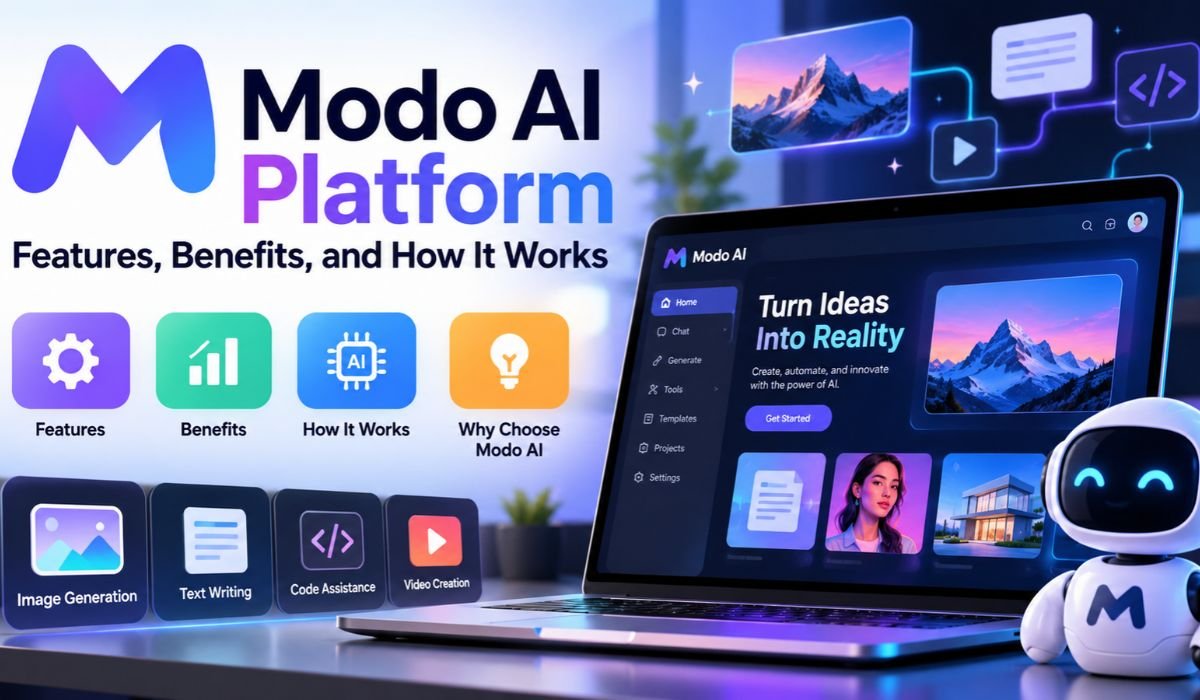
Technology is supposed to make life easier. Yet for many students and employees, getting through an ordinary day means jumping between multiple apps, searching through different portals, and trying to remember where important information is stored. What should take a few seconds can quickly become a frustrating process.
That’s the problem Modo aims to solve.
Developed by Modo Labs, Modo is an AI-powered digital experience platform that brings campus and workplace services together in one convenient place. Whether someone needs to check university information, find a campus event, book a workplace resource, or read an important announcement, the platform is designed to make those activities easier to manage.
Rather than forcing organizations to replace their existing technology, Modo connects the systems they already use. Artificial intelligence adds another layer of convenience by helping people find information, receive guidance, and complete supported tasks.
As universities and businesses look for practical ways to use AI in 2026, Modo offers an approach worth understanding. Here’s how the platform works, what it offers, and what organizations should consider before adopting it.
What Is Modo AI Platform?
Modo is an AI-driven digital experience platform that connects applications, services, and organizational information through a single interface. It’s primarily designed for universities and enterprise workplaces, where people often depend on several different systems throughout the day.
In higher education, Modo helps institutions bring academic resources, student services, campus events, and communications into a shared digital environment. For businesses, it provides a similar experience by connecting workplace tools, scheduling services, employee resources, and internal information.
What makes this approach useful is that organizations don’t necessarily have to abandon their existing software. Modo operates as a digital experience layer, connecting established systems and making them easier to navigate.
Instead of expecting users to understand where every service is located, the platform aims to bring the information and tools they need closer together.
The result is a more organized digital experience that can be accessed through mobile devices and desktop computers.
Quick Bio Information About Modo
| Category | Details |
|---|---|
| Platform Name | Modo |
| Developed By | Modo Labs |
| Platform Type | AI-Driven Digital Experience Platform |
| Main Purpose | Connecting Applications, Services, And Workflows |
| Primary Markets | Higher Education And Enterprise Workplaces |
| Campus Solution | Modo Campus |
| Workplace Solution | Modo Workplace |
| AI Assistant | Modo My Agent |
| Mobile Accessibility | Supported |
| Desktop Accessibility | Supported |
| Custom Branding | Available |
| Personalization | Role-Based And Context-Aware Experiences |
| Integrations | More Than 100 Advertised |
| Development Options | APIs, No-Code, And Low-Code Tools |
| Analytics | Usage And Engagement Insights |
| Security | SSO, Encryption, And Company-Reported Compliance Capabilities |
| Deployment Timeline | As Fast As 30 Days, According To Modo |
| Pricing Information | Available Through The Provider |
Who Developed Modo AI Platform?
Modo was created by Modo Labs, a technology company focused on improving digital experiences for educational institutions and enterprise organizations.
The company addresses a challenge that has become increasingly familiar. Universities and businesses have invested in countless digital tools, but those tools don’t always work together in a way that feels convenient to the people using them.
A university, for example, might rely on one system for registration, another for coursework, and several others for student services, events, and announcements. Employees face similar challenges when workplace booking, internal communications, and scheduling tools operate independently.
Modo Labs approaches this problem by connecting existing systems rather than asking organizations to rebuild their entire technology environment.
That distinction matters, especially for larger institutions. Replacing established software can be expensive, disruptive, and time-consuming. A unified experience platform offers another way to improve accessibility while preserving much of the technology already in place.
How Does Modo AI Platform Work?
At its core, Modo connects organizational systems and makes their information available through a shared digital experience.
Users interact with the platform through a mobile application or desktop portal. Behind the scenes, integrations connect Modo with the services and information sources an organization has chosen to make available.
Imagine a student who wants to know whether a registration hold is preventing enrollment. Instead of searching through several university websites, the student could use a configured Modo experience to access relevant information from the connected student information system.
The platform also supports AI-powered assistance through Modo My Agent, which is designed to help users find answers, receive personalized guidance, and carry out supported actions.
Modo describes this as an agentic AI approach. In simple terms, the goal is to move beyond answering questions and help people complete tasks across connected systems.
There are limits, however. The assistant can only work with the information, integrations, and permissions available to it. A university or business must configure those connections before users can benefit from them.
Key Features of Modo AI Platform
One of Modo’s strongest selling points is the way it combines several digital experience tools within a single platform.
Its unified mobile and desktop interface gives users a consistent place to access organizational resources. Instead of maintaining separate experiences for every service, institutions can bring selected functions together under their own branding.
Customization is another important feature. Organizations can adjust layouts, content, branding, and available modules to reflect their needs.
Modo also supports personalized experiences. A first-year university student, for instance, may need different information from a faculty member or administrator. Similarly, employees working in different offices may require access to different workplace resources.
The platform’s integration capabilities help make these experiences possible. Modo advertises more than 100 integrations and provides APIs alongside no-code and low-code configuration options.
Communication tools allow organizations to share announcements and relevant updates, while analytics help administrators understand how people interact with digital resources.
Taken together, these features make Modo more than a collection of application shortcuts. Its broader purpose is to create a connected experience around the user’s daily needs.
Modo Campus Experience Platform for Universities
University life involves much more than attending classes. Students must manage academic responsibilities, find administrative services, keep track of campus activities, and stay informed about important deadlines.
When that information is scattered across multiple systems, even simple tasks can become unnecessarily complicated.
The Modo Campus Experience Platform is designed to address this problem by bringing connected university resources into one digital environment.
It can integrate with student information systems, learning management platforms, campus event services, and other institutional resources. Students can then use their university’s configured experience to find information and access supported services.
Modo’s campus capabilities also extend to personalized communications. Universities can organize content for different groups, helping students, faculty, and staff discover information that matters to them.
An example of Modo’s continued development is its announced integration with Workday Student in July 2026. The integration is intended to make academic information and student services accessible through branded mobile and desktop experiences.
For universities, the potential value lies in improving the accessibility of existing services. For students, it means having fewer barriers between a question and the information needed to answer it.
Modo My Agent: AI Assistance for Campus Life
Artificial intelligence is becoming part of everyday campus technology, but its usefulness depends on what it can actually do.
Modo My Agent is the company’s AI-powered assistant, designed to help students and other campus users interact with information and supported services more naturally.
Rather than requiring someone to navigate a complicated menu, the assistant allows users to ask questions and receive guidance based on connected campus resources.
A prospective student might ask about admissions information. An enrolled student could look for details about classes, deadlines, or registration requirements.
Where the necessary integrations and permissions exist, the assistant may also help users move beyond information discovery toward completing supported tasks.
An important part of this approach is access control. Students, faculty members, and administrators shouldn’t automatically have access to the same information. Modo’s role-based permissions are intended to help institutions maintain those boundaries.
The assistant is also designed to provide access outside normal office hours, which can be useful when students need information in the evening or over a weekend.
Still, AI assistance isn’t a substitute for accurate institutional information. Its effectiveness depends on the quality and availability of the systems supporting it.
Modo Workplace Experience Platform for Businesses
The modern workplace has its own version of the digital overload problem.
Employees may use one application to reserve a desk, another to coordinate schedules, and several others to find company information or workplace services.
Modo Workplace is designed to bring these activities into a more connected experience.
The platform supports workplace capabilities such as space booking, team-aware scheduling, employee communications, and access to connected workplace resources.
Consider an employee preparing to visit an office. They may want to check workspace availability, coordinate with colleagues, and find relevant building information. A well-configured workplace experience can make those services easier to access.
This approach can be particularly relevant to organizations managing hybrid work arrangements or multiple office locations.
Rather than creating an entirely new system for every workplace activity, Modo aims to make existing services feel more connected.
Of course, the experience will vary between organizations. Its usefulness depends on the tools available, the quality of integrations, and how carefully the platform is configured.
How Modo Integrates With Existing Systems
Integration is central to Modo’s design. Without connections to existing systems, a unified experience platform would have limited value.
Modo advertises more than 100 integrations and provides APIs, no-code tools, and low-code options to support different organizational requirements.
In higher education, these connections may involve student information systems, learning management platforms, campus payment services, and administrative applications.
For businesses, relevant integrations can include workplace scheduling tools, communication services, and employee resources.
Modo’s published integration catalog includes technologies such as Microsoft Active Directory, Blackboard, and TouchNet.
However, not every integration provides the same level of functionality.
Some connections may allow users to view information, while others can support more interactive workflows. Organizations should verify exactly what each integration offers before assuming a particular task can be completed through Modo.
Authentication, permissions, data accuracy, and ongoing maintenance also deserve attention.
A connected experience works best when the underlying systems are reliable and the information they provide is current.
Benefits of Using Modo AI Platform
The clearest potential benefit of Modo is convenience. Bringing digital resources together can make everyday tasks easier to navigate.
For students, this may mean finding academic information, campus events, and administrative services without searching through multiple websites.
Employees may benefit from easier access to workplace tools, communications, and scheduling resources.
Organizations can also use personalized experiences to deliver more relevant information to different audiences.
Analytics add another useful dimension. By examining how people use digital services, administrators may identify resources that attract engagement and areas where improvements are needed.
Modo has shared customer examples to illustrate these benefits. In materials concerning the University of Arkansas–Pulaski Technical College, the company reported a 94.5% student adoption figure associated with its My Agent feature.
That figure offers an example of company-reported engagement, although it shouldn’t be interpreted as a result every institution can expect.
Ultimately, the most meaningful benefits are those an organization can measure through user satisfaction, service accessibility, task completion, and operational improvements.
Modo AI Platform vs. Traditional Digital Portals
Traditional student and employee portals have long served as central locations for organizational information.
Many provide dashboards, application links, announcements, and access to important services. However, the experience can still require users to move between separate systems.
Modo builds on the portal concept by combining integrations, personalization, and AI-assisted interactions.
For example, a conventional portal may direct students to another application for registration information. A configured Modo experience may help retrieve relevant information through its connected services.
The difference isn’t simply about appearance. It’s about how easily users can move from finding information to completing an activity.
That said, traditional portals have evolved considerably. Some already include sophisticated integrations, automation, mobile interfaces, and AI capabilities.
Organizations should compare specific products and implementations rather than assuming Modo automatically offers more functionality than every alternative.
Is Modo AI Platform Secure?
Security becomes especially important when a platform connects systems containing student records, employee information, or other sensitive organizational data.
Modo emphasizes enterprise security as part of its platform offering.
Its published materials describe capabilities and compliance-related claims involving single sign-on, encryption, and SOC 2 Type II. The company also discusses GDPR-related requirements.
These claims provide useful starting points, but institutions should verify current documentation and the scope of any certifications or assessments.
Access control is another important consideration. A student checking personal academic information should only be able to retrieve records they’re authorized to see.
Similarly, employees should not gain access to restricted organizational information simply because multiple systems are connected.
Before adopting Modo, organizations should review authentication, privacy requirements, data retention, accessibility, incident response, and third-party integration security.
A convenient digital experience is valuable, but protecting the information behind it is equally important.
Modo AI Platform Pricing and Implementation
One of the first questions organizations may ask is how much Modo costs.
The available product information doesn’t establish a standard public subscription price, so prospective customers should request current pricing directly from Modo Labs.
Costs may depend on organizational requirements, integrations, customization, implementation services, and ongoing support.
Modo states that deployment can happen in as little as 30 days. That may be achievable in certain circumstances, but it shouldn’t be treated as a guaranteed timeline.
An organization with straightforward requirements may have a different implementation experience from a large university connecting numerous complex systems.
A sensible starting point is identifying the services users need most frequently. Teams can then evaluate integration requirements, configure the interface, test permissions, and prepare staff or students for launch.
Launching with a smaller set of valuable services may also help administrators gather feedback before expanding the platform.
Potential Limitations of Modo AI Platform
Modo offers an appealing approach to connected digital experiences, but it isn’t necessarily the right solution for every organization.
One potential challenge is integration complexity. Older systems or heavily customized applications may require additional technical planning.
The platform’s AI capabilities also depend on the quality of connected information. If underlying data is outdated or incomplete, even a well-designed assistant may struggle to provide useful results.
User adoption presents another challenge. People won’t automatically embrace a new platform simply because it brings several services together.
Organizations need to communicate its benefits, provide guidance, and ensure that the experience genuinely simplifies common tasks.
Ongoing costs, maintenance, accessibility, and administrator training should also be part of the evaluation.
For smaller organizations with relatively simple digital requirements, an existing portal may already be sufficient.
Modo is likely to be most relevant where connecting multiple systems can deliver meaningful improvements in accessibility and everyday workflows.
Final Thoughts
Digital technology has become essential to campus life and modern workplaces. Yet having more applications doesn’t always mean having a better experience.
That’s the challenge Modo AI Platform is designed to address.
By connecting existing systems through a unified interface, Modo aims to make information easier to find, services more accessible, and everyday activities less complicated.
Its AI assistance, integration capabilities, personalized experiences, and communication tools offer universities and businesses several ways to improve how people interact with technology.
Still, adopting a platform like Modo requires careful planning. The quality of integrations, security arrangements, user experience, and ongoing support will influence whether it delivers meaningful value.
For organizations considering digital transformation in 2026, Modo represents an approach worth exploring. Its broader lesson is simple: the most useful technology isn’t necessarily the technology that adds more features. It’s the technology that helps people get things done with less effort.
Frequently Asked Questions About Modo
What Is Modo Used For?
Modo is used to connect campus and workplace applications, information, and services through a unified digital experience. It helps students and employees find resources, access connected systems, and complete supported activities without repeatedly navigating separate applications.
Is Modo AI Platform a Chatbot?
No. Modo is a broader digital experience platform that includes AI-powered assistance alongside integrations, personalization, communication tools, and organizational services. Modo My Agent provides conversational assistance, but the overall platform supports a wider range of digital experiences.
Can Students Use Modo on Mobile Phones?
Yes. Modo supports mobile-first experiences as well as desktop access. Students can use their university’s configured platform to find campus information, access connected academic resources, and interact with available student services.
Does Modo Integrate With Existing University Systems?
Yes. Modo is designed to connect with university technologies, including student information systems and learning management platforms. The exact features available depend on the institution’s software, supported integrations, and configuration.
Is Modo Suitable for Large Enterprises?
Modo is designed to support enterprise workplace experiences, including organizations operating across multiple locations. However, businesses should evaluate integration requirements, security, scalability, and total costs before deciding whether the platform meets their needs.
Is Modo AI Platform Free?
The reviewed product information doesn’t confirm a publicly available free plan or standard subscription price. Organizations interested in adopting Modo should contact the provider to discuss pricing, implementation requirements, and available services.
How Long Does Modo Implementation Take?
Modo advertises deployment in as little as 30 days, although actual timelines can vary. Organizations with extensive integrations, customization requirements, or complex security reviews may need additional time to complete implementation and testing.
Learn more and explore exciting content on: Market Research Methods: A Complete Guide to Understanding Your Customers
[…] Learn more and explore exciting content on: Modo AI Platform: Features, Benefits, and How It Works […]