
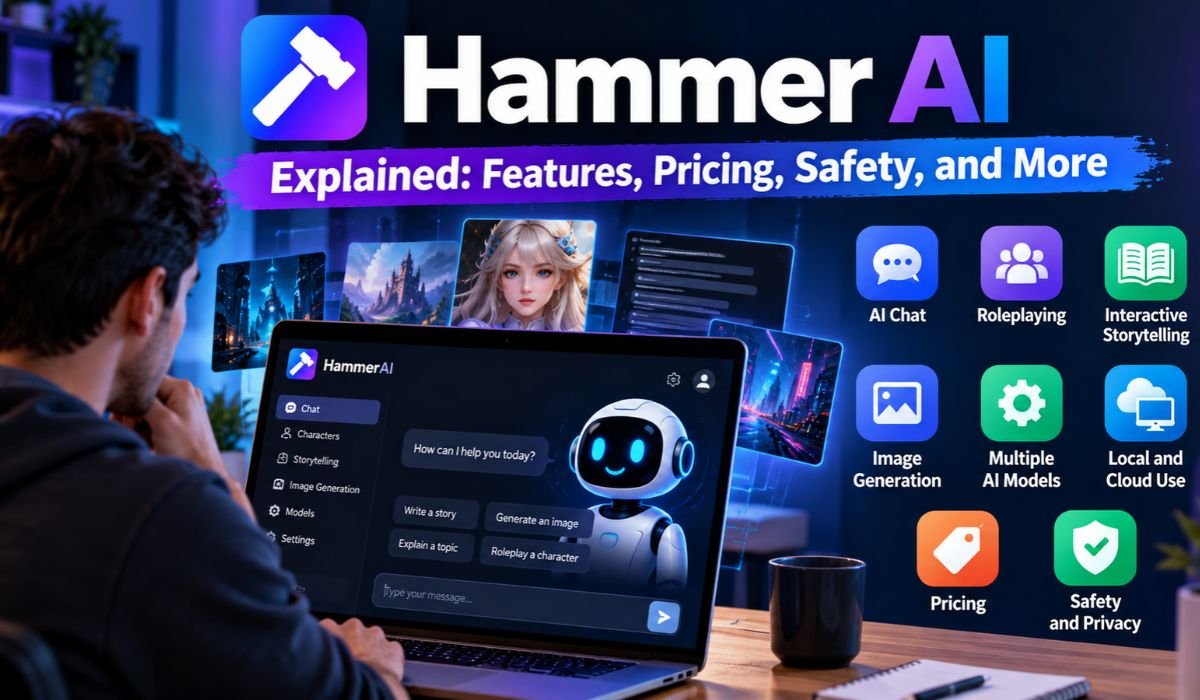
Artificial intelligence has come a long way from simple chatbots that answer questions. Today, people are using AI to write stories, create fictional characters, explore new ideas, and experiment with different language models. As these tools become more accessible, users are also paying closer attention to privacy, customization, and where their conversations are processed.
That’s where Hammer AI enters the picture.
Known officially as HammerAI, the platform combines interactive character conversations, creative storytelling, and access to local and cloud-based AI models. Instead of limiting users to a single type of conversation, it offers different ways to interact with artificial intelligence.
For creative writers, that might mean developing fictional characters. For developers, it could involve experimenting with local language models. Others may simply enjoy exploring AI conversations without committing to an expensive subscription.
Still, an impressive feature list doesn’t automatically make a platform the right choice. Pricing, safety, performance, and ease of use all deserve attention.
This guide takes a closer look at Hammer AI in 2026, explaining how it works, what it offers, its limitations, and whether it’s worth your time.
Hammer AI Quick Information
| Information | Details |
|---|---|
| Official Name | HammerAI |
| Common Name | Hammer AI |
| Platform Category | Artificial Intelligence |
| Primary Purpose | AI Conversations And Storytelling |
| Core Technology | Large Language Models |
| Main Feature | Interactive AI Characters |
| Creative Capabilities | Roleplaying And Story Development |
| Local AI Support | Available |
| Desktop Integration | Ollama |
| Browser-Based Local AI | WebLLM |
| Cloud AI Models | Available |
| Group Conversations | Supported |
| Character Customization | Personas And Lorebooks |
| Image Generation | Eligible Paid Features |
| Text-to-Speech | Eligible Paid Features |
| Conversation Memory | Rolling Summaries On Eligible Plans |
| API Proxy Support | Listed Platform Feature |
| Free Access | Available |
| Premium Subscriptions | Available |
| Best Suited For | Writers, Creators, And AI Enthusiasts |
What Is Hammer AI?
Hammer AI is an artificial intelligence platform built around interactive conversations, fictional characters, roleplaying, and creative storytelling.
At its core, the platform uses large language models to generate responses based on user instructions and conversation history. Users can interact with AI personalities, explore fictional scenarios, or experiment with different conversational styles.
What separates Hammer AI from many traditional chatbots is its emphasis on creative interaction and model flexibility.
Rather than focusing entirely on workplace productivity, the platform gives users room to develop characters, build fictional worlds, and explore conversations that evolve over time.
It also supports compatible local language models alongside cloud-hosted options. That flexibility makes Hammer AI interesting to people who want more control over how their AI tools operate.
Although the platform can help with brainstorming, writing, and programming discussions, its strongest appeal remains creative AI experiences.
How Does Hammer AI Work?
Hammer AI works by connecting users to supported artificial intelligence models through a conversational interface.
The process is familiar to anyone who has used a chatbot. You enter a message, the selected model processes your request, and a response appears. From there, you can continue the discussion, introduce new instructions, or develop a longer conversation.
The experience becomes more interesting when characters and storytelling settings are involved.
For example, a writer might introduce a fictional detective, describe a mystery, and ask the AI to respond in character. As the conversation develops, additional details can shape the direction of the story.
Behind the scenes, Hammer AI supports two main processing approaches.
Local models generate responses using compatible hardware on your own computer. Cloud models handle processing through remote servers.
The choice affects performance, convenience, and privacy. Local models offer greater control over where inference takes place, while cloud services can make more demanding models accessible without powerful personal hardware.
Key Features Of Hammer AI
Hammer AI offers more than ordinary text-based conversations. Its features are designed to make AI interactions flexible, creative, and engaging.
One of its main attractions is AI character chatting. Users can interact with fictional personalities, explore different situations, and develop conversations around specific themes.
Interactive storytelling takes this further by allowing users to build scenes, explore dialogue, and shape fictional narratives.
The platform also supports personas and lorebooks. These tools help organize background information about characters, settings, and imaginary worlds, which can be useful when developing longer stories.
Group chats add another dimension by supporting conversations involving multiple AI characters.
Beyond storytelling, Hammer AI lists image generation, text-to-speech, API proxy support, and conversation memory among its available capabilities.
However, not every feature is included with free access. Some tools depend on paid subscriptions, available credits, or the selected platform version.
Local AI Models And Cloud Processing
One feature that makes Hammer AI stand out is its support for both local and cloud-based language models.
For desktop users, HammerAI supports compatible local model workflows through Ollama. Its documentation also describes WebLLM integration for supported browser-based local processing.
The main attraction of local AI is control.
When a model runs on your own computer, its inference can take place without sending each prompt to a remote model provider. This may appeal to users who prefer greater independence from cloud services.
However, local processing comes with practical requirements. Larger models need more memory and computing power, and performance varies considerably between devices.
Cloud models offer a simpler alternative.
Because the processing happens remotely, users don’t need to provide all the computing resources themselves. The trade-off is that cloud services require connectivity and involve transmitting requests to external infrastructure.
Neither option is automatically superior. The right choice depends on your hardware, technical experience, and privacy expectations.
How To Use Hammer AI
Getting started with Hammer AI doesn’t have to be complicated, especially if you’re using available cloud features.
Begin by accessing the official HammerAI platform and choosing a supported web or desktop experience.
Once inside, explore the available AI characters or language models. The best option depends on what you want to accomplish.
Someone interested in fictional storytelling might choose a character-based conversation. A developer experimenting with language models may prefer a compatible local setup.
Next, write a clear prompt.
Instead of asking the AI to create a story without direction, describe the setting, characters, mood, and type of scene you want.
The more useful context you provide, the easier it becomes for the model to generate a relevant response.
After receiving an answer, continue the conversation or refine your instructions.
If you plan to use local models, additional setup may be necessary. That can include installing Ollama, downloading compatible models, and checking your computer’s available resources.
Hammer AI Pricing And Subscription Plans
Hammer AI provides free access alongside paid subscription options for users who need additional cloud capabilities.
Previously published pricing identifies a Free plan at $0, Starter at $9 per month, Advanced at $18 per month, and Ultimate at $35 per month.
The free version offers an opportunity to explore supported features without immediately purchasing a subscription.
Paid plans provide additional capabilities, which may include broader cloud model access, larger context windows, conversation memory, and credits for multimedia features.
Image generation and text-to-speech may use separate credit allowances. One-time credit purchases may also be available.
It’s important to understand that subscription prices alone don’t tell the whole story. Model availability, context limits, included credits, and usage restrictions can affect the value of each plan.
Pricing Note: These figures reflect previously documented information and haven’t been independently reconfirmed for October 2026. Users should check HammerAI’s current pricing details before subscribing.
For occasional conversations, free access may be enough. More frequent cloud users should compare the available allowances before deciding whether an upgrade makes financial sense.
Is Hammer AI Safe And Private?
Privacy is one of the most important questions surrounding modern AI platforms, and Hammer AI is no exception.
Its support for local language models offers a potential advantage for users who want greater control over where AI processing happens.
When a compatible model runs locally, prompts can be processed on the user’s computer rather than being sent to a remote inference provider.
That doesn’t mean every Hammer AI feature is completely private.
Cloud-based conversations, image generation, and other remote services involve external processing. Users should review the platform’s current privacy documentation to understand how information is handled.
It’s also sensible to avoid sharing passwords, confidential documents, financial information, or other sensitive details without understanding the relevant data practices.
Privacy isn’t the only consideration.
Like other AI platforms, Hammer AI can generate incorrect information, inconsistent responses, or content that doesn’t match a user’s expectations.
For creative storytelling, occasional mistakes may be manageable. For educational, technical, or professional tasks, checking important claims remains essential.
Can Hammer AI Work Offline?
Yes, Hammer AI supports offline inference through compatible local desktop workflows.
Once the required software and model files are installed, supported local models can generate responses without relying on an active connection to a remote inference service.
This can be particularly useful for people with unreliable internet access or those who prefer processing conversations on their own devices.
However, offline use has limitations.
The model must be compatible with the selected setup, and the computer needs sufficient resources to run it.
Cloud language models, remote image generation, and cloud text-to-speech still require an internet connection.
Downloading models, installing updates, and accessing certain online services may also require connectivity.
In other words, Hammer AI’s offline capabilities apply to supported local workflows, not necessarily every feature available on the platform.
Hammer AI System Requirements And Compatibility
Before using Hammer AI with local language models, it’s worth considering whether your computer can handle the workload.
AI model performance depends on several factors, including system memory, processor capabilities, graphics hardware, available storage, and model size.
Smaller models are generally more practical on modest computers. Larger models can require substantially more memory and processing power.
Hammer AI offers web and desktop experiences, although users should confirm current operating-system compatibility before installing the application.
Those using older laptops may find cloud-hosted models more convenient because the main processing takes place remotely.
For anyone interested in local AI, checking a model’s specific requirements before downloading it can save time and frustration.
The important distinction is that Hammer AI itself isn’t the only factor determining performance. The selected model and the computer running it matter just as much.
Benefits Of Using Hammer AI
Hammer AI’s biggest strength is the variety of experiences it brings together.
Creative writers can use character conversations to explore personalities, develop dialogue, and experiment with fictional situations.
Roleplaying enthusiasts may enjoy interacting with different characters and building stories that evolve through conversation.
For technically curious users, local model support provides an opportunity to explore language model behavior without relying entirely on hosted inference services.
Cloud access offers another advantage by reducing the need for powerful personal hardware.
The availability of free features also makes Hammer AI approachable for people who want to explore the platform before spending money.
Meanwhile, image generation and text-to-speech can add another creative dimension to supported workflows.
These benefits are most valuable when the platform’s features match a user’s actual interests rather than simply offering more tools than they need.
Hammer AI Limitations And Common Problems
Hammer AI offers considerable flexibility, but that flexibility also introduces challenges.
Running local language models can be demanding, particularly on computers with limited memory or processing power.
Some models take time to download, occupy substantial storage space, or require additional configuration.
For beginners, setting up a local environment may feel more complicated than opening a cloud chatbot and starting a conversation.
Cloud features have their own limitations, including internet dependency, subscription costs, and usage allowances.
Response quality can also vary.
An AI character might repeat information, misunderstand instructions, or lose track of earlier details during a long conversation.
If local responses are slow, switching to a smaller compatible model may help. Clearer prompts and better-organized character instructions can also improve conversational consistency.
Still, no model or setting can guarantee perfect results.
Hammer AI Vs ChatGPT And Character AI
Hammer AI, ChatGPT, and Character AI all support AI-powered conversations, but their priorities differ.
Hammer AI places considerable emphasis on interactive characters, fictional storytelling, and flexible language model workflows.
ChatGPT is designed for a wider range of tasks, including writing, learning, coding, analysis, and general assistance.
Character AI focuses strongly on conversations with AI personalities, making it relevant to users who enjoy fictional interactions.
For someone primarily interested in roleplaying and character-driven storytelling, Hammer AI and Character AI may be natural options to explore.
People seeking a broader productivity assistant may find ChatGPT better suited to their needs.
Meanwhile, users mainly interested in running local language models can also consider Ollama.
The best platform isn’t necessarily the one with the longest feature list. It’s the one that handles your preferred tasks effectively, within your budget and privacy requirements.
Who Should Use Hammer AI?
Hammer AI is particularly appealing to people who enjoy exploring the creative side of artificial intelligence.
Writers can use it to develop characters, experiment with dialogue, and explore different directions for fictional stories.
Roleplaying enthusiasts may appreciate the opportunity to interact with AI personalities and create imaginary scenarios.
Developers and AI hobbyists can investigate compatible local models and compare how different systems respond to prompts.
Students and content creators may also find the platform useful for brainstorming, provided they check important information independently.
For privacy-conscious users, local processing can be attractive, although understanding the differences between local and cloud features remains essential.
Businesses may find occasional creative uses for the platform, but organizations handling confidential information should carefully review security requirements before incorporating it into professional workflows.
Is Hammer AI Worth It In 2026?
Whether Hammer AI is worth using depends largely on what you expect from an AI platform.
If you enjoy interactive characters, creative storytelling, or experimenting with local language models, Hammer AI offers a combination of features worth exploring.
Its free access provides a practical starting point, especially for people who aren’t ready to pay for premium services.
Paid plans may become more attractive when you regularly need additional cloud capabilities, larger context windows, or multimedia features.
However, subscribing to a higher tier doesn’t automatically guarantee better conversations or more useful results.
The quality of the selected model, the clarity of your instructions, and the platform’s suitability for your goals all influence the experience.
For users who primarily need general productivity assistance, another AI platform may be more appropriate.
Hammer AI makes the most sense when its creative tools and flexible model options align with the way you actually want to use artificial intelligence.
Final Thoughts On Hammer AI
Hammer AI offers an interesting combination of interactive character conversations, storytelling tools, local language models, and cloud-based AI capabilities.
Its appeal lies in flexibility. Users can explore creative conversations, experiment with different models, and choose between supported local and remote processing options.
That freedom comes with responsibilities, particularly around privacy, hardware requirements, and the accuracy of AI-generated information.
Before purchasing a subscription, it’s worth exploring the free features, reviewing current pricing, and understanding which tools are genuinely useful for your needs.
For writers, developers, and AI enthusiasts interested in creative interaction, Hammer AI remains a platform worth considering in 2026.
FAQs About Hammer AI
What Is Hammer AI?
Hammer AI is an artificial intelligence platform focused on interactive character conversations, creative storytelling, roleplaying, and language model experimentation. It supports compatible local models and cloud-based AI services, allowing users to explore different conversational experiences.
Is Hammer AI Free?
Yes. Hammer AI offers free access, including supported local model capabilities. Some cloud features, multimedia tools, and higher usage allowances require paid subscriptions or additional credits. The exact benefits depend on the current plan.
Is Hammer AI Safe To Use?
Hammer AI offers local processing options that may reduce reliance on remote inference services. However, cloud features involve external processing, so users should review current privacy policies and avoid sharing sensitive information unnecessarily. Important AI-generated claims should also be verified.
Can Hammer AI Work Without Internet?
Yes. Compatible local models can perform inference offline after the necessary software and model files have been installed. Cloud models, remote image generation, and cloud text-to-speech require internet connectivity.
How Much Does Hammer AI Cost?
Previously published subscription prices list Starter at $9 monthly, Advanced at $18 monthly, and Ultimate at $35 monthly. A free plan is also available. Because pricing and included features can change, users should verify current subscription details before purchasing.
Does Hammer AI Support Image Generation?
Yes. Hammer AI lists cloud image generation among its premium capabilities. Available models, credit requirements, and usage allowances depend on the platform’s current subscription offerings.
Is Hammer AI Better Than ChatGPT?
Hammer AI may appeal more to users interested in character conversations, roleplaying, and local model experimentation. ChatGPT provides broader general-purpose assistance for writing, learning, coding, and analysis. The better option depends on individual needs.
Is Hammer AI Good For Beginners?
Hammer AI can be approachable for beginners who want basic cloud conversations or creative character interactions. Running local language models may require additional technical knowledge, compatible hardware, and software configuration.
Learn more and explore exciting content on: Tradeinn Explained: Products, Prices, Shipping, and Shopping Guide
[…] Learn more and explore exciting content on: Hammer AI Explained: Features, Pricing, Safety, and More […]