
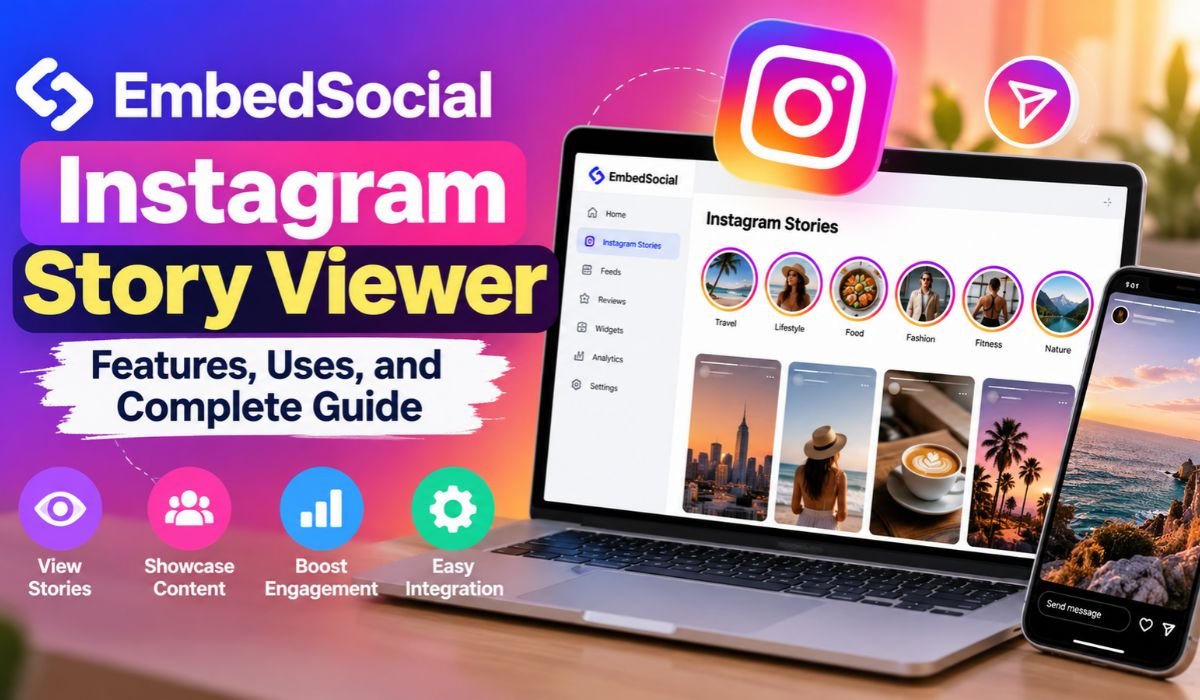
Instagram Stories have become a regular part of everyday online communication. Businesses use them to announce new products, creators share behind-the-scenes moments, and customers post experiences with their favorite brands. They’re quick, visual, and easy to watch. The challenge is that most Stories disappear from public view after twenty-four hours, sometimes taking useful content with them.
For businesses that invest time in creating Instagram content, that short lifespan can feel limiting. A product demonstration, customer testimonial, or promotional announcement might still be useful long after its original Story expires.
That’s where the EmbedSocial Instagram Story Viewer comes into the conversation. EmbedSocial offers an Instagram Stories widget designed to help businesses collect eligible content from their connected accounts and display it on their websites.
It’s important to understand what the platform actually does. EmbedSocial isn’t primarily an anonymous Story viewer for browsing other people’s accounts. Instead, its Instagram tools focus on content collection, website integration, and marketing.
This guide explores how EmbedSocial works, what features it offers, who can benefit from it, and what users should know about pricing, privacy, and technical limitations in 2026.
What Is EmbedSocial Instagram Story Viewer?
The term EmbedSocial Instagram Story Viewer generally refers to EmbedSocial’s tools for managing and displaying Instagram Stories. Although the phrase suggests a simple viewing service, the platform offers something more specialized.
EmbedSocial is a social media content management platform that helps businesses collect, organize, customize, and display supported content from social networks. Its Instagram Stories widget allows eligible users to bring Stories from their connected accounts onto their websites.
Think about an online clothing store that regularly shares styling tips, customer experiences, and new arrivals through Instagram Stories. Instead of allowing that content to disappear from public view after a day, the store can use an appropriate EmbedSocial widget to showcase collected Stories on its website.
Visitors can then explore selected content without needing to open Instagram separately.
This approach makes EmbedSocial particularly relevant to online retailers, marketing agencies, content creators, and businesses that rely on visual storytelling.
However, it’s not designed to provide unrestricted access to other people’s Instagram Stories. Its documented capabilities depend on authorized account connections and Instagram’s platform rules.
Quick Information About EmbedSocial
| Information | Details |
|---|---|
| Platform Name | EmbedSocial |
| Popular Search Term | EmbedSocial Instagram Story Viewer |
| Product Type | Instagram Stories Widget |
| Main Purpose | Collecting and Displaying Instagram Stories |
| Primary Audience | Businesses and Website Owners |
| Other Users | Marketers, Agencies, and Creators |
| Instagram Integration | Official Instagram API |
| Supported Account Types | Eligible Professional Accounts |
| Story Collection | Active Stories From Connected Accounts |
| Automatic Updates | Supported |
| Website Embedding | Supported |
| Widget Customization | Supported |
| Shoppable Stories | Available |
| Content Moderation | Supported |
| Instagram Highlights | Manual Recreation Available |
| Anonymous Viewing | Not a Documented Core Feature |
| Private Story Access | No Unrestricted Access |
| Supported Websites | WordPress, Shopify, Wix, and Others |
| Story Plan Availability | Pro and Higher |
| Main Limitation | Instagram API Access Restrictions |
How Does EmbedSocial Instagram Story Viewer Work?
At the center of EmbedSocial’s Instagram functionality is its connection with Meta’s official API infrastructure. This connection allows eligible professional Instagram accounts to authorize supported content collection without relying on unofficial browsing methods.
Once a business connects an eligible account and configures an Instagram Stories source, EmbedSocial can retrieve supported active Stories. The collected material can then be organized and displayed through a customizable website widget.
The viewing experience is designed to feel familiar. Depending on the selected layout, website visitors can browse Stories in a slider, gallery, or Instagram-inspired presentation.
But there’s an important technical distinction. EmbedSocial doesn’t have unlimited access to Instagram content. Meta’s API determines what information third-party platforms can retrieve, and those permissions can change.
Automatic Story collection generally applies to eligible content from an account that has been properly connected and authorized. It doesn’t mean businesses can import every Story published by another account.
Once supported Stories have been successfully collected, EmbedSocial can retain them for continued website display. That gives businesses an opportunity to extend the usefulness of content that would otherwise disappear from Instagram’s active Story feed.
Key Features Of EmbedSocial Instagram Story Viewer
One of EmbedSocial’s most practical features is automatic Instagram Story synchronization. For businesses that publish frequently, this can reduce the need to upload every new piece of content to their websites manually.
After an eligible account is connected and the correct source is configured, supported new Stories can be collected as they become available.
Customization is another important part of the experience. EmbedSocial offers different widget layouts, allowing businesses to choose how their Stories appear. A fashion retailer might prefer a horizontal Story slider, while a travel company may find a gallery-style presentation more suitable.
The platform also includes content moderation capabilities. Rather than displaying everything automatically, website owners can select which collected Stories deserve a place on their pages.
For online stores, shoppable Story functionality adds another marketing opportunity. Supported widgets can include calls to action that direct visitors toward product pages, helping connect visual content with the shopping experience.
EmbedSocial also works with several popular website platforms, making it easier to add Instagram content without building a custom integration.
These features are useful, but their availability may depend on the selected product and subscription.
How To Use EmbedSocial For Instagram Stories
Getting started with EmbedSocial is relatively straightforward, although the exact setup depends on the product and website platform you’re using.
The process begins by creating an EmbedSocial account and choosing the Instagram Stories widget or another suitable social media aggregation product.
From there, users can connect an eligible Instagram professional account through the supported authorization process. This step matters because EmbedSocial needs the appropriate permissions to retrieve content that Instagram makes available through its API.
After connecting the account, users can select Instagram Stories as a content source, provided their subscription includes that functionality.
The next step is designing the widget. Businesses can choose a layout, adjust its appearance, and decide which collected Stories should be visible to website visitors.
Once the design is ready, EmbedSocial provides an embedding method for compatible websites.
WordPress users, for example, may be able to place the widget code inside a Custom HTML block. Shopify, Wix, Squarespace, and Webflow users can follow the relevant installation instructions for their platforms.
Before publishing, it’s worth checking the final display on both desktop and mobile devices. A widget that looks attractive on a large screen may need adjustments to work comfortably on a smartphone.
The goal isn’t simply to place Instagram content on a page. It’s to make that content easy to explore and genuinely useful to visitors.
Benefits Of Using EmbedSocial For Instagram Content
Instagram Stories are often created for immediate attention. A brand might spend considerable effort producing a product demonstration or customer testimonial, only for the Story to disappear from its active feed the following day.
EmbedSocial gives eligible businesses another way to use that material.
When Stories are successfully collected and retained, they can remain visible through website widgets after their original Instagram availability ends. This is particularly useful for content that stays relevant beyond a single day.
A product tutorial, for instance, might continue answering customer questions weeks after publication. A collection of customer experiences could help visitors understand what a business offers.
There’s also the benefit of bringing social content closer to the buying journey. Instead of asking visitors to leave a website and open Instagram, businesses can present selected Stories alongside relevant products or services.
That doesn’t automatically translate into higher sales or stronger engagement. Results depend on the quality of the content, its placement, the audience, and the overall website experience.
Still, when used thoughtfully, Instagram Story widgets can make a website feel more current, personal, and connected to the brand’s social activity.
EmbedSocial Instagram Story Viewer For Businesses And Creators
Different businesses can use Instagram Story widgets in different ways.
For an online fashion store, the most useful content might include outfit demonstrations, new arrivals, or customer styling ideas. Showing these Stories near product listings can help shoppers imagine how an item looks in everyday use.
Restaurants have different priorities. They may want to highlight food preparation, seasonal menus, special events, or genuine customer experiences.
Travel companies can use visual storytelling to showcase destinations, accommodations, and memorable moments. Service businesses might focus on explaining their processes or demonstrating completed work.
Content creators can also benefit from presenting selected Instagram material on their personal websites. This can be useful when showcasing projects, collaborations, or creative work.
Marketing agencies, meanwhile, may use EmbedSocial to maintain consistent social content displays across client websites, provided the appropriate accounts and permissions are in place.
What matters most is relevance. A carefully chosen collection of Stories can communicate more effectively than a large display filled with unrelated updates.
Can You View Instagram Stories Anonymously With EmbedSocial?
Anonymous Instagram Story viewing attracts considerable interest, particularly among users who want to browse public content without appearing in a Story’s viewer list.
Instagram normally provides Story publishers with information about the accounts that have viewed their content. When someone watches through a logged-in Instagram account, that activity may appear in the publisher’s viewer information.
EmbedSocial’s documented Instagram Stories widget serves a different purpose.
It’s designed to collect and display authorized Instagram content on websites, not to provide a private browsing service for viewing other people’s Stories.
There is no established basis for claiming that EmbedSocial’s widget allows unrestricted anonymous Instagram Story viewing.
Private accounts also remain protected by Instagram’s access controls. A third-party content management platform cannot legitimately be treated as a way around those restrictions.
Anyone considering a service that promises anonymous Story access should examine its claims carefully. Requests for Instagram passwords, excessive permissions, or personal information deserve particular caution.
Is EmbedSocial Instagram Story Viewer Safe And Legitimate?
EmbedSocial operates as a social media content management and website embedding provider. Its supported Instagram integration uses official API connections, which is an important distinction from unknown services that ask users to enter Instagram credentials directly.
That said, using an established platform doesn’t remove the need for sensible security practices.
Businesses should review the permissions requested when connecting an Instagram account and make sure they’re authorizing the correct service.
It’s also worth checking how collected content is managed, who can access the account, and what happens when an integration is disconnected.
Privacy and content ownership deserve equal attention.
Just because someone publishes a Story publicly doesn’t mean a business automatically has permission to reuse it in advertising or other commercial material.
For customer-created content, obtaining appropriate permission helps protect both the creator and the business.
These precautions are especially important for agencies handling multiple client accounts or brands using customer experiences as promotional material.
A responsible setup combines secure authorization, careful content selection, and respect for Instagram’s platform requirements.
Is EmbedSocial Instagram Story Viewer Free Or Paid?
EmbedSocial offers different subscription options, and the features available depend on the selected product and plan.
Its social media aggregator documentation distinguishes between basic Instagram post collection and Instagram Stories functionality. Instagram posts are available through certain free options, while Stories collection is listed under Pro and higher plans.
The Instagram Stories widget product page has advertised a seven-day free trial and pricing starting at $29 per month.
However, subscription prices, feature limits, and promotional offers can change. Anyone considering a purchase should review the current terms before subscribing.
For a small business, a single Instagram Stories widget may be enough to support a homepage or product display.
An agency managing several websites may need additional content sources, customization options, or administrative capabilities.
The most sensible approach is to identify the features you’ll actually use before comparing plans.
It’s also worth remembering that paying for EmbedSocial’s Instagram Stories functionality doesn’t mean purchasing access to private Stories or anonymous browsing.
EmbedSocial Vs Other Instagram Story Viewers
Not every Instagram Story tool is built for the same audience.
Some websites focus on helping users watch publicly available Stories. Others advertise anonymous viewing or downloading, although their reliability, permissions, and privacy practices vary considerably.
EmbedSocial belongs to a different category.
Its Instagram Stories widget is intended for businesses and creators who want to collect eligible content from their own authorized accounts and display it on websites.
Features such as automatic synchronization, content moderation, layout customization, and shoppable Stories make it more suitable for marketing and website presentation than casual browsing.
Instagram’s native application remains the most direct option for watching Stories from accounts you’re permitted to access.
For someone who simply wants to catch up with friends or follow a favorite creator, a business-focused embedding platform would probably be unnecessary.
But for a retailer hoping to turn Instagram Stories into an interactive part of its website, EmbedSocial offers a more relevant set of tools.
The best choice depends on the task, not simply on which platform has the longest feature list.
Common Problems With EmbedSocial Instagram Story Viewer
Even a properly configured Instagram integration can occasionally encounter problems.
One of the most common concerns is missing Story content. Instagram Stories usually remain active for twenty-four hours, and the API doesn’t provide unrestricted access to expired or archived material.
If a Story disappears before EmbedSocial successfully collects it, automatic retrieval may no longer be possible.
Connection problems can also interrupt synchronization. An Instagram account may need renewed authorization, or its account type may not meet the requirements for the selected integration.
Subscription limitations are another possibility. Users should confirm that their plan includes Instagram Stories collection before troubleshooting the widget itself.
Sometimes the content has been collected correctly, but the website display doesn’t appear as expected. In those situations, checking the embedding code, widget configuration, and website settings is a reasonable starting point.
Older Instagram Highlights present a separate challenge. The standard live Story API doesn’t automatically import archived Highlights, although supported manual uploading features may allow users to create a similar website display.
When a problem persists, the current EmbedSocial documentation and official support resources are more reliable than repeatedly changing account settings without identifying the cause.
Best Practices For Instagram Story Management
A useful Instagram Story display starts with a clear purpose.
Before adding a widget, businesses should consider what visitors need to know. Are they looking for product demonstrations, customer experiences, helpful instructions, or evidence that a service delivers what it promises?
That answer should guide content selection.
A small collection of relevant Stories often works better than a constantly changing display that gives visitors little reason to engage.
Placement also matters. Product-related Stories may be most useful near product descriptions, while customer experiences can support homepage introductions or dedicated testimonial sections.
The mobile experience deserves particular attention. Visitors should be able to navigate Stories comfortably without struggling with small buttons, awkward layouts, or content that takes too long to load.
Businesses should also review their widgets regularly. An outdated promotion or irrelevant Story can create confusion rather than encourage engagement.
Finally, results should be evaluated through appropriate website analytics. Engagement, product page visits, and conversions can help determine whether a Story display is contributing to broader business goals.
The aim is to create a useful experience, not simply to add another visual element to the page.
Final Thoughts
The EmbedSocial Instagram Story Viewer is best understood as part of a wider approach to Instagram content management and website integration.
Its Instagram Stories widget gives eligible businesses a way to collect supported content, customize its presentation, and make selected Stories available beyond their original appearance on Instagram.
For online stores, marketing agencies, creators, and other businesses, that can turn short-lived social content into a more lasting website resource.
However, EmbedSocial shouldn’t be confused with an unrestricted Instagram Story viewer or an anonymous browsing service. Its documented functionality depends on authorized account connections, available product features, and Instagram’s API restrictions.
In 2026, the most effective way to use the platform is to focus on content that genuinely helps visitors. Clear product demonstrations, authentic customer experiences, and thoughtfully placed Story displays can make a website more engaging without overwhelming its audience.
Ultimately, the value of EmbedSocial isn’t simply in showing more Instagram content. It’s in helping businesses use the right content, in the right place, for a meaningful purpose.
FAQs About EmbedSocial Instagram Story Viewer
What Is EmbedSocial Instagram Story Viewer?
EmbedSocial Instagram Story Viewer is a search phrase commonly associated with EmbedSocial’s Instagram Stories widget. The product allows eligible businesses and creators to collect supported Stories from their authorized Instagram accounts and display them on websites. Its main purpose is content presentation and marketing rather than anonymous Story browsing.
Can I View Instagram Stories Anonymously With EmbedSocial?
EmbedSocial doesn’t document anonymous Instagram Story browsing as a core feature of its Stories widget. The platform is designed primarily to manage and display authorized content. If you watch Stories directly through Instagram while logged in, your viewing activity may appear in the publisher’s viewer information.
Is EmbedSocial Instagram Story Viewer Free?
EmbedSocial offers free options for certain social media content features, but Instagram Stories collection is listed under Pro and higher subscription plans. Its Instagram Stories widget page has advertised a seven-day trial and pricing starting at $29 per month. Because pricing can change, it’s best to check the latest subscription details before making a purchase.
Can I Embed Instagram Stories On My Website?
Yes. EmbedSocial provides an Instagram Stories widget that supports website embedding. Businesses can customize the display and add it to compatible platforms, including WordPress, Shopify, Wix, Squarespace, and Webflow. The exact installation method depends on the website platform and selected product.
Can EmbedSocial Save Instagram Stories After They Expire?
EmbedSocial can retain eligible Stories that were successfully collected while active, allowing them to remain available for website display. However, Instagram’s API doesn’t support unrestricted automatic retrieval of previously expired Stories or archived Highlights. Where supported, users may manually upload content they already have permission to use.
Is EmbedSocial Safe For Business Use?
EmbedSocial uses official Instagram API connections for supported integrations, making it a more appropriate option for authorized content management than unfamiliar services requesting account passwords. Businesses should still review account permissions, privacy practices, subscription terms, and content ownership requirements before connecting their accounts.
Can EmbedSocial Access Private Instagram Stories?
EmbedSocial doesn’t provide unrestricted access to private Instagram Stories. Its documented collection features rely on authorized account connections and Instagram’s API permissions. Private Stories belonging to other users cannot simply be accessed through the platform’s widget.
Who Should Use EmbedSocial Instagram Story Viewer?
EmbedSocial’s Instagram Stories widget is most useful for online stores, businesses, creators, and marketing agencies that want to display selected Instagram content on their websites. People who only want to watch Stories from other accounts will generally find Instagram’s native viewing experience more suitable.
Learn more and explore exciting content on: Plangud Explained: Meaning, Uses, Benefits, and Essential Facts
[…] Learn more and explore exciting content on: EmbedSocial Instagram Story Viewer: Features, Uses, and Complete Guide […]