
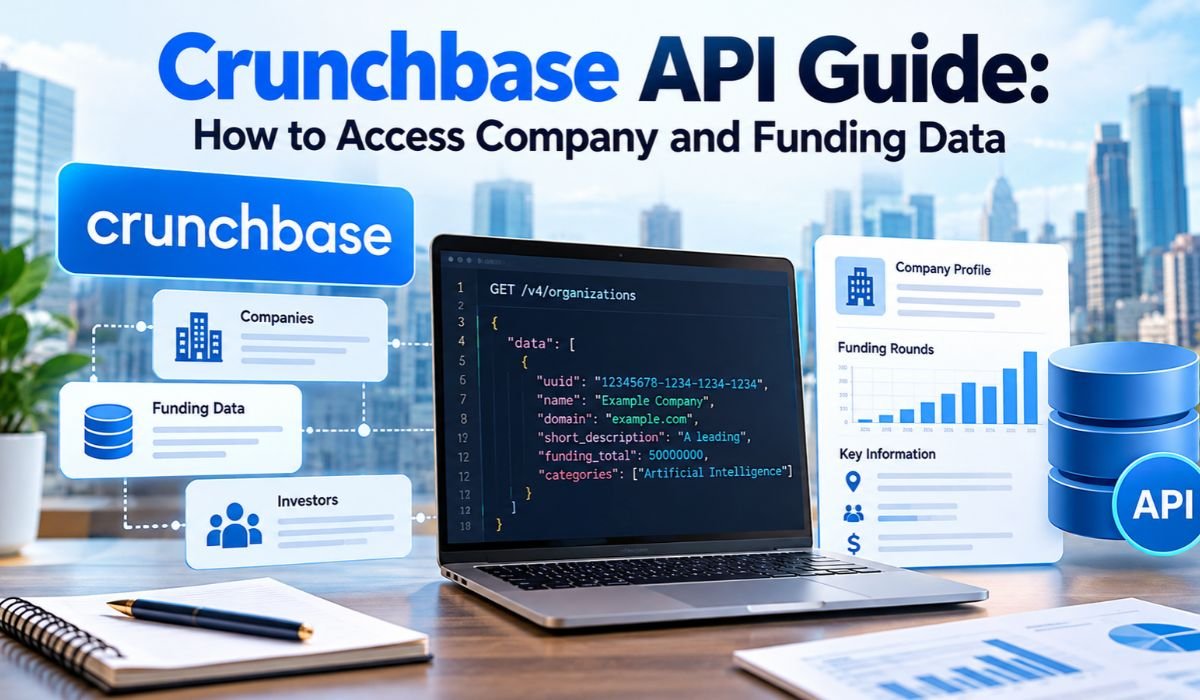
Keeping up with the business world isn’t as simple as reading the latest headlines. Startups raise millions in funding, investors back promising companies, and businesses expand into new markets every day. For entrepreneurs, investors, and sales professionals, staying informed about these developments can make a real difference.
The challenge is finding reliable information without spending hours searching through company websites, financial reports, and news articles.
That’s where the Crunchbase API comes in.
The Crunchbase API gives developers and businesses a way to retrieve company profiles, investment histories, funding announcements, and other business information directly from Crunchbase’s database. Rather than collecting everything manually, organizations can connect their applications to Crunchbase and organize the information automatically.
In 2026, Crunchbase’s capabilities extend beyond traditional company research. Its data offerings also include AI-powered predictions, company growth indicators, and market intelligence designed to help users understand potential business developments.
Still, getting started requires more than simply creating an account. API access involves authentication, licensing, pricing, and technical considerations. This guide explains how the Crunchbase API works, what information it provides, and how to use it effectively.
What Is the Crunchbase API?
The Crunchbase API is a read-only REST API that allows authorized users to retrieve structured business information from Crunchbase.
REST stands for Representational State Transfer. Although the term sounds technical, the idea is straightforward. It provides a standard way for software applications to request information from another system.
Crunchbase maintains a database covering startups, established companies, investors, funding rounds, acquisitions, and business activities. Through its API, developers can access the information included in their licensed data packages.
Imagine you’re researching technology startups that recently attracted investment. You could visit individual company profiles and record the details yourself. Alternatively, an application connected to Crunchbase could retrieve available information and organize it in a database or dashboard.
That’s the main advantage of using an API.
The Crunchbase website is designed for people conducting research directly. The API, meanwhile, allows applications to collect and process information programmatically.
Because it’s read-only, the API retrieves existing records rather than allowing customers to edit Crunchbase’s underlying database.
How Does the Crunchbase API Work?
At its core, the Crunchbase API works through a simple exchange between an application and Crunchbase’s servers.
A developer sends a request to a particular API endpoint. That request identifies the information needed and includes authentication credentials confirming that the application has permission to access it.
Crunchbase then processes the request and returns the available information, usually in JSON format.
JSON, short for JavaScript Object Notation, is a widely used format for organizing data into readable fields and values. Applications can interpret these fields and display the information in reports, dashboards, or other software.
For example, a company lookup might return an organization’s name, website, description, and unique identifier. Depending on the available data package, additional requests may retrieve investors, founders, or funding-related records.
Crunchbase supports several ways to find information. Search helps identify companies matching selected conditions, autocomplete suggests possible matches, and entity lookup retrieves details about specific records.
Once developers understand these functions, they can build applications that collect information more efficiently and reduce unnecessary requests.
Key Features of the Crunchbase API
One reason the Crunchbase API attracts interest is the range of business information it can provide.
Its company search functionality helps researchers discover organizations based on supported criteria, including location, industry, and other available characteristics.
Entity lookup makes it possible to retrieve more detailed information about a particular business. This is especially useful when an organization needs to monitor a defined group of companies over time.
Financial data products add another important dimension. Depending on the agreement, users can examine funding rounds, investment relationships, acquisition records, and investor activities.
Crunchbase also offers predictive intelligence features. These tools analyze available business signals to estimate the likelihood of future developments, such as funding activity or company growth.
Beyond research, the API supports integration with other applications. Businesses can incorporate licensed information into customer relationship management systems, analytical dashboards, and internal research platforms.
However, access isn’t identical for every customer. Available features and data fields depend on the purchased package and licensing terms.
Quick Information About Crunchbase API
| Information | Details |
|---|---|
| API Name | Crunchbase API |
| Provider | Crunchbase |
| API Type | REST API |
| Access Method | Authenticated HTTP Requests |
| Data Format | JSON |
| Authentication | API Key |
| Authentication Header | X-cb-user-key |
| Primary Purpose | Company And Investment Intelligence |
| Company Profiles | Available |
| Funding Records | Package-Dependent |
| Investor Information | Package-Dependent |
| Acquisition Data | Package-Dependent |
| Search Functionality | Supported |
| Entity Lookup | Supported |
| Autocomplete | Supported |
| AI Predictions | Available In Eligible Packages |
| API Pricing | Customized Commercial Pricing |
| Documented Enterprise Rate Limit | 200 Requests Per Minute Per Key |
| Documented Concurrent Request Limit | Three In-Progress Requests Per Key |
| Common Users | Developers, Investors, Researchers, And Sales Teams |
What Company Data Can You Access Through Crunchbase?
The information available through the Crunchbase API depends on the type of data access an organization purchases.
Basic company records may include business names, descriptions, websites, headquarters locations, founding dates, and industry classifications. These details are commonly known as firmographic information.
Firmographics are particularly useful when researching unfamiliar companies or building lists of organizations within a particular industry.
Financial information provides additional context. Eligible users may retrieve investment relationships, funding announcements, participating investors, and acquisition histories.
Crunchbase organizes its data offerings into different categories, including company fundamentals, financial information, insights, and predictions. Each package is intended to support different research needs.
For instance, a sales organization identifying potential customers may primarily need company profiles and industry information. An investment research firm, on the other hand, may require detailed financing records and investor relationships.
It’s also worth remembering that private-company data isn’t always complete.
Some businesses disclose very little about their finances. Others announce investments without revealing every transaction detail. Funding information may also appear in databases after a reporting delay.
For important investment or commercial decisions, Crunchbase records should be considered alongside company announcements, regulatory filings, and other trustworthy sources.
How to Access the Crunchbase API
Getting access to the Crunchbase API starts with understanding what you actually need.
Not every project requires the same level of information. A simple company directory might need names, locations, and industry categories. A financial research platform may require investment histories, acquisitions, and predictive intelligence.
Once those requirements are clear, organizations seeking commercial REST API access generally need to contact Crunchbase’s sales team.
Crunchbase uses customized commercial arrangements for its dedicated API offerings. Pricing and permissions depend on factors such as intended usage, required datasets, and licensing conditions.
After an agreement is established, authorized customers can access their provisioned API credentials through their Crunchbase accounts.
Existing customers can generally find the relevant settings by opening Account Settings, navigating to Integrations, and selecting Crunchbase API.
Crunchbase also documents certain Basic access and approved research arrangements. However, these shouldn’t be mistaken for unrestricted commercial access to its full financial database.
Before beginning development, confirm which endpoints, fields, request limits, and usage rights your agreement includes.
How to Get and Use a Crunchbase API Key
An API key acts as a digital credential that identifies an authorized application when it requests information.
Without valid authentication, Crunchbase generally won’t provide access to protected API data.
Eligible customers can obtain their API credentials through the appropriate integration settings in their accounts.
Crunchbase recommends including the key in the X-cb-user-key HTTP request header.
Here’s an example of an authenticated request:
curl --request GET \
'https://api.crunchbase.com/v4/data/entities/organizations/crunchbase' \
--header "X-cb-user-key: $CRUNCHBASE_API_KEY" \
--header 'Accept: application/json'
This example assumes the API key has already been stored in an environment variable called CRUNCHBASE_API_KEY.
Using environment variables is generally safer than writing credentials directly into application code.
API keys should never be published in public repositories or exposed through browser-based applications. Anyone who obtains a valid key may potentially attempt to use the associated access permissions.
If authentication fails, check whether the credential is correct, whether the account has permission to use the endpoint, and whether the request follows the current API requirements.
How to Search for Companies Using the Crunchbase API
Searching for companies is one of the most common reasons developers integrate Crunchbase into their applications.
The API offers different approaches depending on how much information you already have.
Autocomplete is helpful when you know only part of a company name. It returns possible matches, allowing an application to identify the correct organization.
Search is better suited to broader research. It allows developers to apply supported conditions and retrieve organizations that match particular requirements.
Entity lookup serves a different purpose. Once you have a company’s unique identifier, you can use it to request information about that specific record.
Consider a researcher investigating technology startups in Berlin. Instead of reviewing unrelated companies, the researcher could use supported location and industry filters to narrow the results.
Crunchbase’s Search API uses POST requests with JSON request bodies containing the relevant search conditions and requested fields.
Larger result sets may require pagination, which divides results into smaller groups.
Using unique company identifiers is also important. Businesses sometimes have similar names or change their branding, so relying on names alone can lead to duplicate or incorrect records.
How to Access Funding Data With the Crunchbase API
Funding data is among the most valuable types of information available through Crunchbase.
With the appropriate financial data package, users may retrieve details about investment rounds, announced funding amounts, financing stages, investment dates, and participating investors.
These records help researchers understand how businesses have financed their operations and which investors have supported them.
Startup funding often begins with seed investment before progressing to Series A, Series B, and later rounds. However, companies don’t always follow the same financing path.
A recently funded business may attract attention from suppliers, recruitment agencies, software providers, or potential partners.
For example, a sales team could research organizations that recently announced significant investment and investigate whether their expanding operations might create demand for new services.
Investment analysts can use funding histories to compare activity across industries, identify active investors, and examine broader market patterns.
Retrieving these details may require working with related company and funding entities rather than relying on a single company profile.
It’s important to interpret the results carefully. Announced investment amounts don’t always reveal transaction terms, and a funding announcement doesn’t necessarily mean the full amount is immediately available to the company.
Crunchbase AI Predictions and Business Insights
Crunchbase has expanded beyond historical business information by introducing predictive intelligence capabilities.
These features analyze available company signals to estimate the likelihood of future developments, including funding rounds, acquisitions, growth, and other business outcomes.
Rather than simply showing what happened previously, predictive tools attempt to identify patterns that may indicate what could happen next.
For businesses researching potential customers or investment opportunities, this can provide another perspective when prioritizing companies for further investigation.
Crunchbase also offers business insights that examine company growth and market activity.
Its Growth Score evaluates company development using multiple available signals. The Heat Score focuses on market attention, including engagement and media-related activity.
Market Insights can help users examine whether particular industries appear to be expanding, remaining stable, or experiencing weaker conditions.
In September 2026, Crunchbase announced additional explanations accompanying API predictions. These explanations can reference company trajectories, financial indicators, industry developments, and recent events.
Such information can make predictions easier to interpret, but it doesn’t eliminate uncertainty.
Even a high probability score isn’t a guarantee. Predictive intelligence should support careful research rather than replace independent financial judgment.
Crunchbase API Pricing and Subscription Plans
Pricing is an important consideration for anyone planning to use the Crunchbase API.
Unlike some developer services that publish fixed rates for every usage level, Crunchbase generally handles commercial API pricing through customized agreements.
The final cost depends on the intended application, required information, licensing permissions, and other customer requirements.
The October 2026 source article reports that Crunchbase Pro starts at $79 per month when billed annually, while Business pricing is listed at $199 per month. These reported prices should be confirmed directly before purchasing.
There’s also an important distinction between website subscriptions and API licensing.
A Crunchbase Pro subscription is primarily intended for researching businesses through the platform’s interface. Dedicated REST API access has separate requirements and permissions.
Organizations should clarify exactly what their agreement includes before making a financial commitment.
That means checking available datasets, usage quotas, integration permissions, and any restrictions on storing or redistributing information.
For smaller businesses, it’s sensible to compare the expected value of automated research with subscription and development costs.
Crunchbase API Rate Limits and Technical Requirements
Building a reliable Crunchbase integration involves more than sending successful requests.
Developers also need to account for rate limits, concurrency restrictions, pagination, and occasional service errors.
Crunchbase’s Enterprise REST API documentation specifies a limit of 200 requests per minute per API key, alongside a separate limit of three requests in progress simultaneously.
These restrictions control different aspects of API usage.
An application might stay within the minute-based allowance but still encounter problems if it sends too many requests at the same time.
To manage this, developers can use request queues, controlled processing, and appropriate retry strategies.
When rate limits are exceeded, an API may return HTTP status code 429. Applications should handle these responses gracefully instead of repeatedly sending unsuccessful requests.
Pagination is another important consideration. Large search results are typically retrieved in smaller batches, allowing applications to process records without requesting everything at once.
Where licensing permits, caching frequently used information can reduce unnecessary calls.
Scheduled updates are also useful when records don’t need to be refreshed continuously.
Because API conditions can vary, developers should always review the documentation and limits associated with their specific agreement.
Integrating Crunchbase API With Business Tools
The Crunchbase API becomes particularly useful when its information is connected to tools people already use.
For sales teams, company data can provide additional context inside customer relationship management systems. Representatives may be able to review company size, industry, or funding history before approaching potential customers.
Research departments can use the API to build dashboards that organize investment activity, company developments, and industry information.
Developers may also create internal databases that combine licensed Crunchbase records with other permitted information sources.
Not every workflow requires custom software, though.
Zapier offers supported Crunchbase integrations that can help transfer information between business applications, depending on the available triggers, actions, and account permissions.
For example, a supported workflow might organize company information in a spreadsheet or help maintain research records in another application.
Crunchbase also provides an MCP server for compatible AI tools.
MCP, or Model Context Protocol, allows authorized AI applications to interact with supported external data services through natural-language instructions.
This can make company research more conversational, although MCP access and REST API credentials are managed separately.
Choosing the right approach depends on how much technical control, automation, and data access an organization requires.
Crunchbase API Limitations, Alternatives, and Best Practices
Despite its strengths, the Crunchbase API isn’t necessarily the right solution for every project.
Commercial access may be costly for small teams, particularly when the project requires extensive financial information or specialized data licensing.
Technical maintenance is another consideration. Applications need to handle authentication, changing requirements, rate limits, and incomplete responses.
Data accuracy also deserves attention.
Private companies aren’t required to disclose every financial development publicly. As a result, some records may be incomplete, estimated, or updated after an announcement becomes public.
Organizations should also understand licensing restrictions before sharing retrieved information with customers or third parties.
Crunchbase’s standard API guidance generally restricts redistribution unless the relevant agreement explicitly permits it.
For users exploring alternatives, SEC EDGAR provides access to regulatory filings, while Crustdata offers business intelligence information. Apify supports configurable web data collection for projects that require information from permitted online sources.
These tools serve different purposes and don’t necessarily replace Crunchbase’s private-market coverage.
Whichever platform you choose, good data practices remain essential. Protect credentials, verify important financial claims, handle technical errors, and document where information originated.
Final Thoughts
The Crunchbase API provides a practical way to bring company research, funding histories, investor information, and business intelligence into software applications.
For organizations that regularly analyze businesses, the ability to retrieve structured information can reduce repetitive research and make existing workflows more efficient.
Crunchbase’s predictive intelligence and market insights introduce additional possibilities, particularly for teams interested in identifying potential business developments before they become widely discussed.
Still, the API is most useful when its capabilities match a clear business need.
Before committing to an integration, determine which information matters, confirm the appropriate access package, and understand the costs and licensing conditions.
Technology can make research faster, but sound decisions still depend on accurate information and thoughtful analysis. Used responsibly, Crunchbase can become a valuable part of that process.
FAQs About Crunchbase API
Is the Crunchbase API Free?
Crunchbase no longer generally offers its former free commercial API tier. Dedicated commercial access is typically arranged through a paid agreement. Certain Basic access and approved research arrangements may exist, but these shouldn’t be confused with unrestricted access to Crunchbase’s full financial datasets.
How Can I Get a Crunchbase API Key?
New commercial customers generally need to arrange API access through Crunchbase’s sales team. Once access has been approved and provisioned, authorized users can find their credentials in the Crunchbase API section of their account’s integration settings. The key must be included in authenticated requests.
Can I Access Startup Funding Data?
Yes. Crunchbase provides funding information through eligible financial data packages. Depending on the available records and subscription, users may retrieve investment dates, announced amounts, financing stages, and participating investors. Some private-company transactions may have incomplete or undisclosed details.
Does the Crunchbase API Support Python?
Yes. Developers can use Python HTTP request libraries to communicate with Crunchbase endpoints. A Python application can send authenticated requests, process JSON responses, and organize retrieved records for analysis or internal business tools. The application still requires valid API access and must follow the applicable usage limits.
Does Crunchbase Provide Real-Time Funding Updates?
Crunchbase maintains and updates funding information, but that doesn’t mean every announcement appears immediately. Reporting delays, verification processes, and data availability can affect when information becomes accessible. Developers can use scheduled API requests to monitor changes rather than assuming native real-time notifications are available.
What Is the Difference Between Crunchbase Pro and Crunchbase API?
Crunchbase Pro is primarily a research subscription designed for users working through the Crunchbase website. The Crunchbase API allows authorized applications to retrieve licensed information programmatically. Commercial API access may require a separate agreement, even when an organization already has a website subscription.
Can Crunchbase Predict Future Funding Rounds?
Crunchbase offers predictive intelligence capabilities that estimate the likelihood of future company events, including funding activity. These predictions use analytical models and available business signals. They’re intended to support research and prioritization, not guarantee that a particular company will receive funding.
What Are the Best Crunchbase API Alternatives?
The best alternative depends on the information you need. SEC EDGAR is useful for accessing regulatory filings, Crustdata provides business intelligence data, and Apify supports configurable web data collection. Each differs in coverage, cost, technical requirements, and suitability for private-company research.
Learn more and explore exciting content on: Artirix Explained: Features, Technology, and Business Uses
[…] Learn more and explore exciting content on: Crunchbase API Guide: How to Access Company and Funding Data […]