
Introduction To CastleBranch
Starting A Career In Healthcare Takes More Than Attending Classes, Passing Exams, And Completing Assignments. Students Also Need To Meet Clinical Requirements, Submit Medical Records, And Complete Background Checks Before They Can Begin Working In Clinical Settings. CastleBranch Has Traditionally Helped Students Manage These Responsibilities Through An Online Account That Keeps Important Documentation And Outstanding Tasks In One Place.
For Students At Mercy Health Sciences University, Understanding How CastleBranch Works Can Make The Preparation Process Much Easier. Knowing Which Documents Are Required, When To Submit Them, And Where To Get Help Can Prevent Unnecessary Delays. It’s Also Important To Understand That The University Has Introduced A Different Platform For Newer Students, So The Correct System Depends On The Student’s Enrollment Date And Program.
This Guide Covers The Essential Details, From Setting Up An Account And Completing Background Checks To Understanding Fees, Uploading Medical Records, And Resolving Common Problems. With The Right Information, Students Can Approach Clinical Compliance With Greater Confidence And Fewer Last-Minute Surprises.
Quick Bio Information About CastleBranch
CastleBranch Is An Online Platform Used By Eligible Students To Manage Background Checks And Clinical Compliance Documentation. Mercy Health Sciences University Uses It To Help Organize Required Tasks And Records.
The University Refers To DISA Healthcare Technology As The Newer Name For The Service Previously Known As CastleBranch. Students Who Began In Spring 2026 Or Earlier Are Directed To CastleBranch, While Students Beginning In Summer 2026 Or Later Are Directed To Verified Credentials.
Not Every Academic Major Requires A CastleBranch Account. Students Should Obtain Their Program-Specific Package Code From The University And Review The Package Details Before Placing An Order.
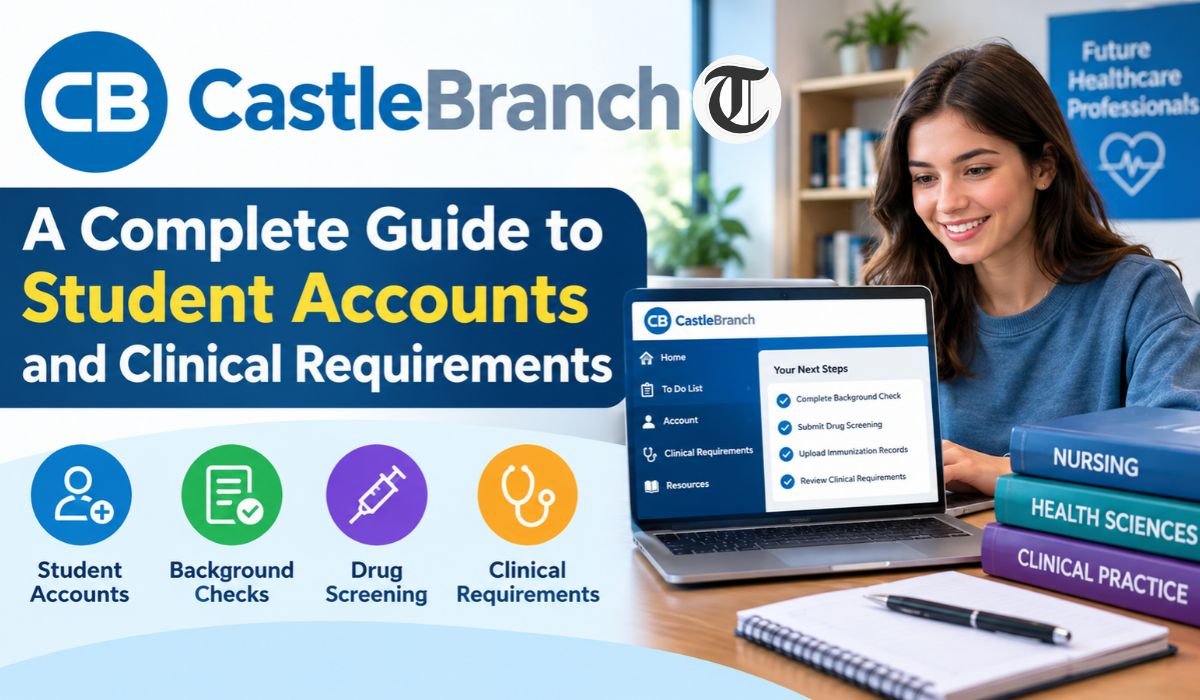
The Account Generates A To-Do List Showing Outstanding Requirements. Depending On Their Program, Students May Need To Submit Background Check Forms, Immunization Records, Titers, TB Screening Documentation, And CPR Certification.
The Iowa Child And Adult Abuse Registry Form Should Be Completed Promptly. The University Warns That Electronic Signatures May Lead To Rejection, And Processing Can Take One Month Or Longer.
The University’s Guidance States That A Background Check Review May Take Up To 45 Days When A Criminal Conviction Appears In The Report. Processing Times For Other Checks May Differ.
The Listed CastleBranch Fee Is $150 For EMS, MLS, PTA, And RT Programs, And $175 For DMS, MA, And Nursing Programs. Students Should Confirm The Current Price During Checkout.
The University Lists (888) 723-4263 As The CastleBranch Service Desk Number, With Published Hours Of Monday Through Friday, 8 A.M. To 8 P.M. Eastern Time. The Listed Service Desk Email Is customerservice@disahealthcare.com.
The University Also Lists castlebranch@MercyHealthU.edu For CastleBranch-Related Questions. Its Published Guidance States That The Mandatory Reporter Certificate Must Be Renewed Every Three Years.
What Is CastleBranch?
CastleBranch Is An Online Platform That Helps Educational Institutions Manage Student Background Checks And Clinical Compliance Documentation. At Mercy Health Sciences University, Eligible Students Use Their Accounts To Review Required Tasks, Submit Documents, And Check The Status Of Their Clinical Requirements.
The Platform Has Also Undergone A Naming Change. The University’s Newer Student Resources Refer To DISA Healthcare Technology As The Name For The Service Previously Known As CastleBranch. According To The University, The User Process Has Remained The Same Despite This Change. Students Should Still Follow The Instructions Provided For Their Enrollment Group, Rather Than Assuming That Older Guides Cover Every Current Requirement.
One Of CastleBranch’s Main Advantages Is That It Brings Several Administrative Tasks Together In One Account. Students Can Review Their Outstanding Requirements And See Which Items Still Need Attention. However, Creating An Account Doesn’t Automatically Complete The process. Each Required Document Must Be Submitted Correctly, And Students Need To Check Whether Their Work Has Been Accepted.
Who Needs A CastleBranch Account?
A CastleBranch Account Isn’t Necessary For Every Student At Mercy Health Sciences University. Whether One Is Required Depends On The Academic Program And The Student’s Enrollment Date. Checking These Details Before Registering Can Save Time And Help Avoid Unnecessary Expenses.
According To The University’s Published Instructions, Students Who Began Their Programs In Spring 2026 Or Earlier Use CastleBranch. Those Starting In Summer 2026 Or Later Are Directed To Verified Credentials Instead. This Distinction Is Particularly Important For Students Entering Healthcare Programs During The Platform Transition.
If You’re Unsure Which System Applies To Your Program, Contact Your Admissions Counselor Or Allied Health Department Chair Before Purchasing A Package. It’s Also Worth Confirming Whether Your Program Requires Clinical Compliance Documentation At Your Current Stage Of Study. Requirements Can Differ Between Programs, So Another Student’s Instructions Might Not Apply To You.
How To Create A CastleBranch Account
Eligible Students Begin By Accessing The DISA Healthcare Ordering Platform Specified In Their University Instructions. From There, They Select The Place Order Option, Choose Go Under DISA CB CastleBranch, And Enter The Package Code Assigned To Their Program.
Students Who Haven’t Created An Account Before Will Be Prompted To Register. After Entering The Required Information, They’ll See Details About Their School, Package Contents, And Applicable Fees. They Must Review The Information, Accept The Website’s Terms, And Select Continue Order Before Completing The Personal Information Section.
Once Registration Is Finished, CastleBranch Generates A To-Do List Showing The Requirements Associated With The Account. This Is The Best Place To Start Identifying Outstanding Tasks And Prioritizing Time-Sensitive Documents. Before Paying, Make Sure The Package Matches Your Program And Enrollment Group. A Few Minutes Spent Checking The Details Can Help Prevent Problems Later.
Understanding Package Codes And Requirements
A Package Code Connects A Student With The Background Check And Clinical Compliance Requirements Assigned To Their Academic Program. Since Different Programs May Require Different Services And Documents, Students Should Obtain Their Code From An Authorized University Contact Instead Of Guessing Which Package To Choose.
Before Completing An Order, Review The Package Description And Pricing Carefully. Make Sure The Program Information Is Correct And That The Listed Requirements Match The Instructions You’ve Received. If Something Looks Unfamiliar Or Doesn’t Seem Right, Contact The University Before Proceeding With Payment.
It’s Also Important To Remember That A Package Code Doesn’t Replace The University’s Clinical Policies. Your Individual To-Do List And Official Program Instructions Remain The Main References For Completing Each Requirement. Even Students In The Same Broad Field May Have Different Tasks Depending On Their Program Or Clinical Placement.
How The Background Check Process Works
Background Checks Are An Important Part Of Preparing Students For Clinical Training. Healthcare Students May Work With Patients, Children, Older Adults, And Other Vulnerable Groups, So Educational Institutions And Clinical Placement Sites Have Screening Requirements That Must Be Addressed Before Participation.
After Setting Up An Account, Students Should Review The Background Check Tasks Listed In Their To-Do List. They’ll Need To Provide The Requested Information, Complete Any Required Forms, And Follow The Submission Instructions Carefully. Incorrect Personal Details Or Missing Information Can Lead To Additional Requests And Unnecessary Delays.
Processing Times Depend On The Type Of Check And Whether Further Review Is Necessary. The University’s CastleBranch Guidance States That A Review May Take Up To 45 Days When A Criminal Conviction Appears In The Report. This Isn’t A Guaranteed Timeline For Every Background Check, So Students Should Monitor Their Accounts And Allow Enough Time Before Clinical Deadlines.
Iowa Child And Adult Abuse Registry Form
The Iowa Child And Adult Abuse Registry Form Deserves Particular Attention Because Delays In Completing It Can Affect A Student’s Clinical Preparation. Mercy Health Sciences University Advises Students To Complete This Form Immediately After It Appears On Their To-Do List. Processing Can Take One Month Or Longer, So Waiting Until The Semester Is About To Begin Can Create Serious Scheduling Problems.
Students Must Download The Form, Complete Every Required Field, And Sign And Date It Before Uploading The Finished Document. The University Specifically Warns Against Electronic Signatures Because They May Cause The Form To Be Rejected. Following These Instructions From The Beginning Can Help Avoid Having To Repeat The Process.
After The Completed Form Is Uploaded, CastleBranch Submits The Request To The Appropriate State Agency Under The University’s Process. Students Should Check Their Accounts For Updates And Respond Promptly If Additional Information Is Needed. Starting Early Gives Them More Time To Address Problems Before Classes Or Clinical Rotations Begin.
Clinical Documents And Medical Requirements
Clinical Compliance Usually Involves More Than A Background Check. Depending On The Program, Students May Need To Provide Immunization Records, Vaccination Titers, Tuberculosis Screening Results, CPR Certification, And Other Required Documents. The Exact List Varies, So It’s Important To Follow The Requirements Shown In Your Account And The Instructions Provided By Your University.
Mercy Health Sciences University’s Clinical Guidance Covers Immunizations Such As MMR, Hepatitis B, Varicella, And Seasonal Influenza, Along With TB Screening. These Requirements Help Establish Whether Students Have Submitted The Health Documentation Needed For Their Clinical Placements.
Each Document Serves A Different Purpose, And The Requirements Aren’t Always Interchangeable. A Vaccination Record, For Example, May Not Provide The Same Evidence As A Titer Result. Students Should Keep Copies Of Their Medical Records, Submit Clear Documentation, And Check The Status Of Every Item After Uploading It. If Something Is Rejected, Addressing The Specific Problem Promptly Can Help Keep The Process Moving.
Immunization Records And Vaccination Titers
Immunization Records Help Demonstrate That Students Meet The Health Requirements For Clinical Training. When Vaccination Records Are Missing Or Incomplete, A Healthcare Program May Request Additional Evidence. One Possible Form Of Evidence Is A Titer, Which Is A Blood Test That Measures Antibodies To A Specific Infection And Can Help Assess Whether There Is Laboratory Evidence Of Immunity.
The University’s Guidance Addresses MMR And Varicella Records, Unknown Vaccination Dates, And Negative Or Equivocal Varicella Titer Results. According To The University’s FAQ, Students Who Cannot Document A Previous Case Of Chickenpox May Be Directed To Obtain A Varicella Titer. A Positive Result Can Provide Evidence Of Immunity, While A Negative Or Equivocal Result May Mean That Vaccination Is Required Under The Applicable Instructions.
Students Shouldn’t Assume That An Unverified Childhood Illness Or An Incomplete Vaccination Record Will Automatically Satisfy The Requirement. If Dates Are Unknown Or Test Results Are Unclear, Check The University’s Current Documentation Rules And Consult A Qualified Healthcare Professional About Individual Medical Decisions. This Helps Ensure That The Records Submitted Meet Both Clinical And Medical Requirements.
TB Testing And Screening
Tuberculosis Screening Is Another Important Part Of Clinical Compliance. Depending On Their Medical History And Program Requirements, Students May Need A TB Skin Test, A Blood Test, A Chest X-Ray, Or Additional Documentation. The Correct Procedure Depends On The Student’s Circumstances And The University’s Current Instructions.
The University Explains That Students With A Previous Positive TB Test May Need A Clear Chest X-Ray And A TB Questionnaire. The Questionnaire Helps Establish Whether The Student Has Current Signs Or Symptoms Of Tuberculosis. Students Should Follow The Required Process Rather Than Assuming That An Old Test Result Is Sufficient On Its Own.
Documentation Problems Can Also Delay Approval. Missing Dates, Incomplete Results, Or An Incorrect Test Type May Lead To Rejection. For A Two-Step TB Skin Test, The University States That The Two Tests Should Be Within One To Three Weeks Of Each Other. Students Should Follow The Schedule Provided For Their Required Screening Method And Ask The University For Clarification If They’re Unsure Which Records To Submit.
Accepted CPR Certifications
CPR Certification Is Another Requirement That Students May Need To Complete Before Beginning Clinical Training. Mercy Health Sciences University’s Supplied Instructions Identify Four Accepted Options: American Heart Association Healthcare Provider Basic Life Support, American Red Cross CPR For The Professional Rescuer, American Red Cross CPR For Basic Life Support, And American Safety And Health Institute Basic Life Support.
The University Offers American Heart Association Healthcare Provider BLS Training. Students Can Consider The Other Listed Options, Too, Provided Their Course Issues The Specific Certification Accepted By Their Program. It’s Best To Confirm This Before Registering Because Not Every CPR Or First Aid Course Meets Clinical Requirements.
These Certifications Help Prepare Students To Respond To Emergencies Using Recognized Procedures And Terminology. Students Should Keep Their Certification Information Available And Submit The Required Documentation Through The Designated System. If They Need A Course Schedule Or Help Obtaining An Electronic Certification Card, They Should Consult The University’s Current CPR Training Guidance.
CastleBranch Fees And Costs
The University’s Published Instructions List A CastleBranch Fee Of $150 For EMS, MLS, PTA, And RT Programs. For DMS, MA, And Nursing Programs, The Listed Fee Is $175. These Amounts Give Students A Starting Point For Planning Their Expenses, But They Shouldn’t Be Treated As Guaranteed Current Prices.
Before Completing An Order, Review The Package Details And Confirm The Fee Displayed During Checkout. If The Amount Doesn’t Match The University’s Published Information, Ask The Appropriate Department Or Service Desk For Clarification.
Students Should Also Consider Whether Additional Screening Or Medical Services Could Create Separate Expenses. The University’s Newer Clinical Compliance Information Notes That Some Additional Tests May Not Be Covered By Health Insurance. Checking Potential Costs In Advance Can Help Students Prepare Their Budgets And Avoid Unexpected Charges.
Uploading Documents And Meeting Deadlines
CastleBranch Offers Several Ways To Submit Required Documents. Students Can Scan Paperwork, Use A Phone Camera, Access A Scanner In The University Library, Or Use The CastleBranch App. Whatever Method They Choose, The Finished File Should Be Complete, Readable, And Prepared According To The Instructions For That Requirement.
Submitting A File Doesn’t Necessarily Mean It Has Been Approved. Students Should Return To Their Accounts And Check The Status Of Each Document After Uploading It. If A Record Is Rejected, Read The Explanation Carefully Before Trying Again. Common Problems Include Missing Administration Dates, Missing Student Names, Required Signatures That Aren’t Present, Blurry Images, Blank Files, And Incorrect Documents.
The Platform Also Displays Due Dates And May Send Email Notifications When Deadlines Approach. Because These Dates Can Change Throughout A Program, It’s Safer To Review The Account Regularly Rather Than Relying Entirely On Email Reminders. Keeping Copies Of Submitted Documents And Starting Time-Sensitive Tasks Early Can Make The Entire Process Easier To Manage.
Customer Support And Troubleshooting
Even With Careful Preparation, Students May Run Into Problems With Account Access, Document Uploads, Background Check Results, Or Unclear Requirements. The Best First Step Is To Identify The Specific Issue And Review Any Instructions Or Rejection Messages Shown In The Account. This Makes It Easier To Explain The Problem When Asking For Help.
For Platform-Related Assistance, The University’s Published Information Lists The CastleBranch Service Desk At (888) 723-4263. Its Published Hours Are Monday Through Friday, From 8 A.M. To 8 P.M. Eastern Time. The Listed Email Address Is customerservice@disahealthcare.com. Since Contact Details Can Change, Students Should Confirm That The Information Remains Current Before Reaching Out.
For University-Specific Questions, The Supplied Information Lists castlebranch@MercyHealthU.edu. Students Who Need Help With Immunizations, Titers, Or Finding Medical Services Should Contact The Appropriate University Support Team. Questions About Program Eligibility Can Also Be Directed To An Admissions Counselor Or Allied Health Department Chair.
Students Without A Social Security Number Should Check The University’s Specific Instructions Before Completing Their Order. The Published FAQ Provides A Placeholder Entry Of 111-11-1111 For The Social Security Number Field When Purchasing CastleBranch. Because This Is A Specific Institutional Procedure, Students Should Confirm That It Applies To Their Account Before Entering The Information.
CastleBranch And Verified Credentials
CastleBranch And Verified Credentials Are Separate Platforms Used Within Mercy Health Sciences University’s Clinical Compliance Process. Under The University’s Supplied Instructions, Students Who Began In Spring 2026 Or Earlier Use CastleBranch, While Those Beginning In Summer 2026 Or Later Use Verified Credentials.
The Most Important Step Is To Confirm Which Platform Applies Before Creating An Account Or Paying For A Package. Students Shouldn’t Assume That Both Systems Have The Same Registration Steps, Fees, Document Upload Procedures, Or Support Arrangements.
This Transition Also Shows Why Current University Instructions Matter. Information Shared By A Student From An Earlier Enrollment Group May No Longer Apply To Someone Starting Later. Checking With The University At The Beginning Can Help Ensure That Documents Are Submitted Through The Correct System.
Final Thoughts
CastleBranch Helps Eligible Students Keep Their Background Checks And Clinical Documentation Organized, But Completing The Process Successfully Requires Careful Planning. Confirming The Correct Package, Submitting Accurate Records, And Checking The Status Of Each Requirement Can Prevent Avoidable Problems.
The Iowa Child And Adult Abuse Registry Form Deserves Particular Attention Because Processing May Take A Month Or Longer. Students Should Also Make Sure They Understand Their Immunization, TB Screening, CPR, And Other Clinical Requirements Instead Of Assuming That Every Program Follows The Same Rules.
Most Importantly, Students Should Confirm Which Platform Applies To Their Enrollment Group. Those Who Began In Spring 2026 Or Earlier Are Directed To CastleBranch Under The Supplied Instructions, While Students Beginning In Summer 2026 Or Later Should Follow The University’s Verified Credentials Process. With Early Preparation And Reliable Information, Students Can Approach Clinical Compliance With Greater Confidence And Focus More Of Their Attention On Their Healthcare Education.
FAQs About CastleBranch
How Do I Log In To CastleBranch?
Use The Account You Created During Registration And Follow The Platform’s Current Login Instructions. If You Can’t Access Your Account, Use The Available Recovery Process Or Contact The Service Desk. Students Beginning In Summer 2026 Or Later Should Confirm Whether They Need Verified Credentials Instead.
How Long Does A Background Check Take?
Processing Time Depends On The Type Of Check And Whether Additional Review Is Necessary. The University States That A Review May Take Up To 45 Days When A Criminal Conviction Appears In The Report. The Iowa Child And Adult Abuse Registry Form May Take One Month Or Longer, So Students Should Begin Early.
What If I Don’t Have A Social Security Number?
The University’s Published FAQ Provides A Specific Procedure For Students Who Don’t Have A Social Security Number. It Identifies 111-11-1111 As The Placeholder Entry For The Social Security Number Field When Purchasing CastleBranch. Students Should Confirm That The Procedure Still Applies To Their Account Before Proceeding.
Why Was My Immunization Record Rejected?
A Record May Be Rejected Because Information Is Missing, Dates Aren’t Clear, Required Signatures Are Absent, The Image Is Blurry, Or The Wrong Document Was Submitted. Read The Rejection Message And Correct The Specific Problem Before Uploading The File Again. If The Instructions Aren’t Clear, Contact The University For Guidance.
How Often Must I Renew The Mandatory Reporter Certificate?
The University’s Published CastleBranch FAQ States That The Mandatory Reporter Certificate Must Be Renewed Every Three Years. Students Should Check Their Account For The Applicable Due Date And Follow Any Additional Instructions Provided By Their Program.
What Should I Do If I’ve Had A Positive TB Test?
The University States That Students With A Previous Positive TB Test May Need A Clear Chest X-Ray And A TB Questionnaire. Follow The University’s Current Screening Instructions And Consult A Qualified Healthcare Professional About Your Individual Medical Needs.
Which CPR Certification Should I Choose?
The University Lists American Heart Association Healthcare Provider BLS, American Red Cross CPR For The Professional Rescuer, American Red Cross CPR For BLS, And ASHI BLS. Before Registering, Confirm That The Course Issues One Of The Accepted Certifications And Meets Your Program’s Requirements.
Who Can Help Me With CastleBranch Requirements?
For Platform-Related Assistance, The Published Service Desk Number Is (888) 723-4263, And The Listed Email Is customerservice@disahealthcare.com. For University-Specific CastleBranch Questions, The Supplied Information Lists castlebranch@MercyHealthU.edu. Confirm Current Contact Details Before Sending Personal Information.
Learn more and explore exciting content on: Rashywings.com: A Complete Guide to Its Website, Content, and Features
[…] Learn more and explore exciting content on: CastleBranch: A Complete Guide To Student Accounts And Clinical Requirements […]