
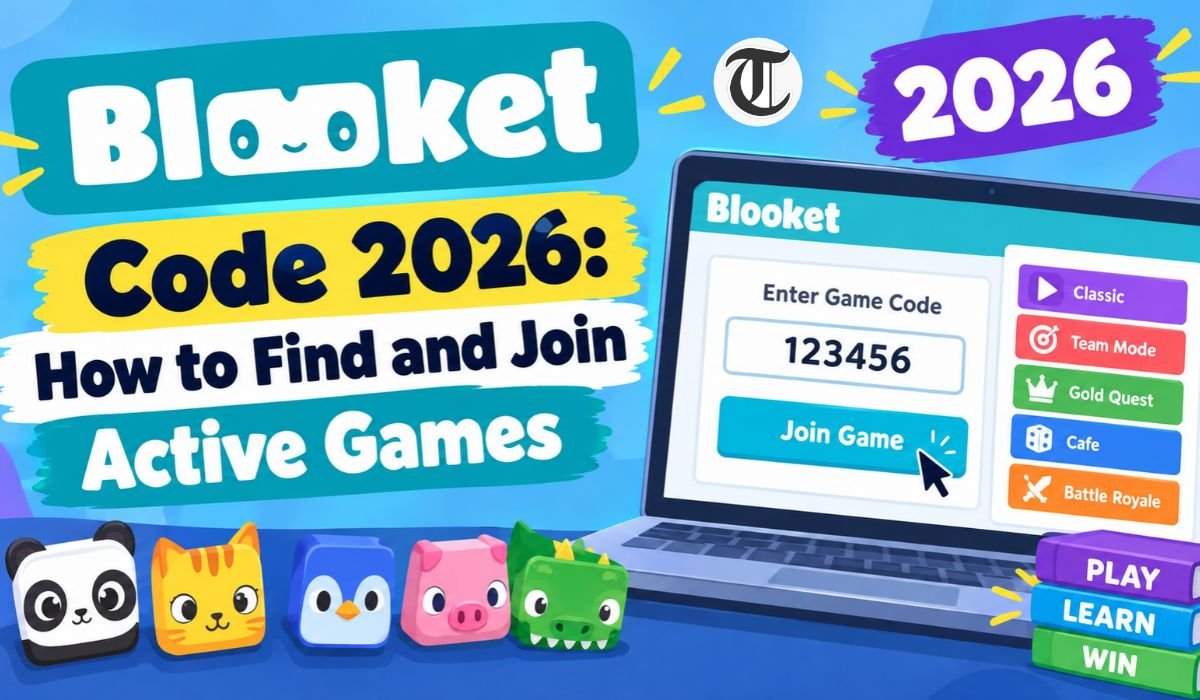
A Blooket Code is the key students use when they want to join a live Blooket game hosted by a teacher or another host. The process itself is simple, but there’s one detail that often causes confusion: a Blooket Code belongs to a particular game session. It isn’t a permanent number that lets someone enter Blooket whenever they want.
For anyone searching for a Blooket Code 2026, understanding how active sessions work is much more useful than looking for a random list of numbers. Blooket’s current system allows students to join live games with a game code, while hosts can also provide a QR Code or Join Link. Students don’t need an account simply to enter a live game.
That makes the whole process fairly straightforward once you know how it works. In this guide, we’ll look at what a Blooket Code means, where to get an active one, how to join a game, what to do if the code doesn’t work, and how teachers create and manage their own sessions.
What Is a Blooket Code?
A Blooket Code is the game code connected to a live Blooket session. When a teacher prepares a question set and starts hosting a game, Blooket provides joining information that can be shared with students. According to Blooket’s current student guidance, the live-game code is a 7-digit game code.
Students enter that code through Blooket’s game-joining page. They can then enter a nickname, choose a Blook, and wait for the host to start the activity. Blooket also supports joining through a QR Code or Join Link, so manually typing the code isn’t the only option.
It’s also worth clearing up a common misunderstanding. A regular Blooket Code isn’t a cheat that gives someone extra points, special abilities, or an advantage. It’s simply the information needed to connect a player with the correct hosted game.
These details reflect Blooket’s current platform features. The service supports live games, solo activities, and homework, while teachers can use question sets as the foundation for different game experiences. The platform also gives hosts several ways to let students join, including a Game ID, QR Code, and Join Link.
How Blooket Codes Work
The easiest way to understand a Blooket Game Code is to look at what happens before students ever see it.
A teacher first chooses a question set. Blooket allows educators to discover existing sets or create their own. Once the questions are ready, the host selects an available game mode and begins setting up the session.
During the hosting process, Blooket provides the information students need to participate. This includes the Game ID, QR Code, and Join Link. The teacher can then share whichever option works best for the class.
That’s why a Blooket Code isn’t really useful on its own. It belongs to the game session created by the host. If someone finds a code online, there’s no guarantee that the associated session is still running when they try to use it.
How To Find An Active Blooket Code In 2026
If you’re looking for an Active Blooket Code, the most reliable place to get one is directly from the person hosting the game. In a classroom, that will usually be the teacher. The host might display the code on a classroom screen, announce it aloud, send it through a class communication system, or provide a QR Code or Join Link.
This is much more dependable than searching for lists of supposedly active codes online. A code shared on a website or social media post may have worked earlier but could be useless by the time you see it.
That matters when people search for phrases such as Blooket Code Today. There isn’t one universal daily code that gives everyone access to a Blooket game. Active sessions are created by individual hosts, so the code you need depends on the specific game you’re invited to join.
How To Join A Blooket Game With A Code
Joining a Blooket game doesn’t require much technical knowledge. Start by opening Blooket’s game-joining page and enter the current game code provided by the host.
Once the code has been accepted, you’ll follow the instructions shown on screen. Depending on the host’s settings, you may enter a nickname or receive a randomly assigned name. You’ll also have the opportunity to choose a Blook before entering the game.
After that, you’ll wait for the host to start the activity. If the teacher has allowed students to join after the game begins, late joining may also be possible.
Blooket gives students more than one way to join. If manually entering the code isn’t convenient, a teacher can share a QR Code or Join Link instead.
What Happens After You Enter A Blooket Code?
Entering the code doesn’t necessarily mean the game starts immediately. In a live classroom session, students normally enter the game environment and wait while other participants join.
The host controls when the activity begins. Once the game starts, the selected game mode determines how students interact with the questions. Blooket uses educational question sets as the foundation, but each game mode can introduce its own objectives, rules, and style of play.
Some experiences focus heavily on answering questions, while others add strategy, competition, collecting, or progression. This variety is part of what makes Blooket different from a standard online quiz.
The host can also adjust certain settings before starting. Depending on the game mode, these may include time limits, question ordering, random names, late joining, and other gameplay options. Not every mode necessarily offers the same settings, so teachers should check the controls available for the specific activity they’re hosting.
Why Is My Blooket Code Not Working?
If your Blooket Code Is Not Working, don’t immediately assume that something is wrong with your phone, computer, or account.
Start by checking the code itself. Blooket’s current student documentation describes live-game codes as seven digits, so entering even one digit incorrectly can prevent you from reaching the intended session.
The next thing to check is whether the game is still available. The host may have ended the activity, closed the session, or provided an older code by mistake. You should also make sure you’re using the correct Blooket joining page.
If other students can enter while you can’t, check your code and internet connection again. If nobody is able to join, the issue may be on the host’s side. In that situation, asking the teacher to confirm the current Game ID is usually the quickest solution.
Can You Reuse An Old Blooket Code?
A Blooket Code shouldn’t be treated like a permanent password. It’s connected to a particular hosted game, which means players should use the current joining information for the session they want to enter.
This is particularly important for people searching for Blooket Codes 2026. An old code that worked during a previous class doesn’t automatically become the code for a new game.
The practical rule is simple: if you’re joining a new session, use the latest code supplied by the host. Don’t assume that an older code will continue to work.
Popular Blooket Game Modes
Blooket has grown beyond a small collection of familiar game modes. Its current game-mode information includes more than 25 modes across different gameplay categories, including live, solo, and homework experiences. Availability can vary depending on the mode and whether certain features require Blooket Plus.
Players may encounter live-capable modes such as Battle Royale, Blook Rush, Classic, Crypto Hack, Deceptive Dinos, Fishing Frenzy, Gold Quest, and Racing, among others. Blooket also offers modes designed specifically for solo play or homework.
The important point is that the game code doesn’t tell you which experience you’re about to play. The host chooses the game mode, and that choice determines how the question set is turned into an interactive activity.
Older articles may mention only a few popular modes, so readers shouldn’t assume that a short list represents everything available in 2026. Blooket’s selection can change as the platform develops.
How Teachers Create A Blooket Code
For teachers, the process starts with a question set. Educators can browse existing sets or create their own, giving them the ability to match the questions to a particular lesson or subject.
Once the set has been selected, the teacher chooses Host and then selects an appropriate game mode. The available settings can be adjusted before the session begins.
After selecting Host Now, Blooket provides a Game ID, QR Code, and Join Link. The teacher can share these details with students and wait for participants to enter.
When everyone is ready, the host starts the game. Depending on the selected mode, teachers may also be able to control settings such as late joining, names, timing, and other gameplay options.
Blooket isn’t only about running the game, either. Its educator tools include reports that can help teachers review student performance after an activity. That makes the platform useful not only for engagement but also for reviewing how students performed on the material.
Blooket Live Games Vs. Assigned Games
Not every Blooket activity works as a live classroom game. Blooket supports live sessions as well as solo gameplay and homework activities.
In a live game, students participate in the host’s current session. They can join with the Game ID, QR Code, or Join Link supplied by the host. The teacher then controls when the activity begins and, depending on the mode, which settings are used.
Homework works differently. Instead of joining a live session with everyone at the same time, students can use the homework link or QR Code provided by their teacher and complete the activity according to the assignment.
This distinction is important when searching for a Blooket Join Code. If your teacher asks you to join a live game, you’ll need the information for that specific session. If you’re completing homework, follow the assignment instructions instead of looking for a live-game code.
Can You Play Blooket Without A Code?
Yes. A code is mainly necessary when you’re trying to join a particular live hosted session.
Blooket also supports independent solo games. A student can find a question set, choose the Solo option, select an available game mode, and start playing without joining someone else’s live session.
Current Blooket student guidance includes solo experiences such as Tower Defense 2, Monster Brawl, Tower Defense, Café, Factory, Crazy Kingdom, and Tower of Doom. Some solo experiences can also be used for homework.
So, not having a Blooket Code doesn’t mean you can’t use Blooket. It simply means you’re not entering that specific live session.
Can You Join Blooket On A Phone Or Tablet?
Yes. Blooket’s game-joining experience works through the web, allowing students to enter the joining page from a compatible mobile device.
The platform also supports QR Codes and Join Links. For students using a phone or tablet, scanning a QR Code can be more convenient than typing a seven-digit code manually.
If you’re joining from a mobile device, make sure the browser loads the Blooket page properly and that your internet connection is stable. If the page doesn’t behave as expected, refreshing the browser or trying another supported device may help.
Are Blooket Codes Free To Use?
Students don’t need to purchase a Blooket Code simply to enter a teacher’s live game. Blooket’s student guidance states that an account isn’t required for joining a live game.
There are, however, different account features and subscription options available on the platform. Those should not be confused with the basic process of joining a hosted game.
Be cautious if a third-party website claims that you must pay for a special or guaranteed working Blooket Code. A legitimate classroom code comes from the person hosting the session.
Blooket Code Safety
A normal Blooket game shouldn’t require students to hand over unrelated personal information simply because they want to join a classroom activity. The safest approach is to use the joining information provided by a teacher, school, instructor, or trusted host.
Students should be particularly careful with websites promising secret codes, cheats, unlimited rewards, or rare Blooks in exchange for downloads, passwords, or sensitive information. A standard game code is simply a way to enter a game.
There’s no legitimate reason to install unknown software or browser extensions just to use a Blooket Code. If something looks suspicious, close the page and ask the teacher or host for the correct joining instructions.
Tips For Joining Blooket Games Successfully
The easiest way to avoid joining problems is to use the newest information provided by the host. Enter the code carefully, or use the QR Code or Join Link when those options are available.
If the game doesn’t open, first check that you entered the code correctly. Then confirm that the host is still running the session. If the problem continues, ask the teacher to verify the current Game ID.
It also helps to pay attention to the host’s instructions about player names and late joining. Blooket allows hosts to use random names and can permit students to join after the game has started when the relevant setting is enabled.
Common Mistakes With Blooket Codes
One of the most common mistakes is assuming that every Blooket Code found online is still active. A code is useful only when the corresponding session is available, so an old code shouldn’t be presented as a guaranteed way to enter a current game.
Another mistake is confusing a game code with a cheat code. The code provides access to the session; it doesn’t change the rules or give a player an automatic advantage.
Players may also overlook the QR Code and Join Link options. If manually typing the code is difficult, either of these alternatives may be easier.
Finally, don’t keep trying an outdated code after the host has announced a new one. When a teacher starts a different session, always use the latest joining information.
Final Thoughts
A Blooket Code 2026 is best understood as a practical way to enter a particular live learning session. It’s not a permanent number that can be collected and reused whenever someone wants to play. Blooket’s current system also gives hosts several ways to invite students, including a seven-digit Game ID, QR Code, and Join Link.
For students, the most reliable approach is straightforward: get the current code from the teacher or host, enter it carefully, and make sure the game is still active. If the code doesn’t work, check the digits and ask the host to confirm the latest Game ID rather than relying on an old online list.
Teachers have even more control over the experience. They can select or create question sets, choose from available game modes, configure supported settings, allow late joining where available, and share the resulting session with students.
Ultimately, the code itself is only the doorway into Blooket. The real value comes from what happens after students enter: questions become part of an interactive game that can support classroom review, practice, homework, and independent learning. Understanding how Blooket Codes work makes that experience easier for both students and teachers—and helps separate genuine active-game information from outdated code lists that no longer serve a purpose.
Frequently Asked Questions About Blooket Codes
What Is A Blooket Code?
A Blooket Code is the game code used to join a live Blooket session. Blooket’s current student guidance describes the live-game code as a seven-digit code. Students can enter it on the Blooket joining page, although the host may also provide a QR Code or Join Link.
How Do I Find An Active Blooket Code?
The most reliable way is to ask the teacher or person hosting the game. The host has the current information for the active session and may provide it as a code, QR Code, or Join Link. Random codes posted online shouldn’t be considered guaranteed active codes.
Why Is My Blooket Code Not Working?
First, check that all seven digits were entered correctly. Then make sure the game is still active and that you’re using the correct joining page. If the code came from an old post or previous session, it may no longer be useful. When you’re unsure, ask the host for the current Game ID.
Can I Reuse A Blooket Code?
You shouldn’t assume that an old Blooket Code will work for a new session. Game codes are associated with hosted games, so players should use the current joining information supplied by the host.
Can I Join Blooket Without An Account?
Yes. Blooket states that students don’t need an account to join live games or complete homework. Students who want to use their own Blooks and earn account-associated points can log in before joining.
Can I Join Blooket From A Phone?
Yes. Students can use a compatible mobile browser to access the Blooket joining experience. If a host provides a QR Code or Join Link, those options can make joining from a phone or tablet even easier.
Can I Play Blooket Without A Code?
Yes. A code is required when you’re joining a particular live hosted game, but Blooket also supports solo gameplay. Students can select a question set, choose an available Solo game mode, and play independently.
Is A Blooket Code A Cheat Code?
No. A regular Blooket Code is simply joining information for a game session. It doesn’t automatically provide extra points, special abilities, rare Blooks, or any other gameplay advantage.
Learn more and explore exciting content on: BacktoFrontShow Pricing in 2026: Plans, Costs, and Features Explained
[…] Learn more and explore exciting content on: Blooket Code 2026: How to Find and Join Active Games […]